
To estimate your laptop or phone runtime from a battery station, start by checking the device’s current battery health and cycle count. Use real-time data like battery percentage, screen brightness, active apps, and network activity to get an accurate picture. Adjust your expectations based on usage conditions, and consider power-saving modes to extend runtime. If you want more detailed tips on improving your estimates, keep exploring for helpful insights.

Get backup power and energy gear delivered free with Prime
- Fast, free delivery on millions of items
- Prime Video, Amazon Music and more included
- Member-only deals all year
Key Takeaways
- Check current battery health and cycle count for baseline capacity assessment.
- Monitor real-time data such as battery percentage, screen brightness, and active applications.
- Consider usage patterns and background activity that influence power consumption.
- Use built-in diagnostics or battery management tools to gather updated runtime estimates.
- Adjust predictions based on current device settings and power-saving mode activation.
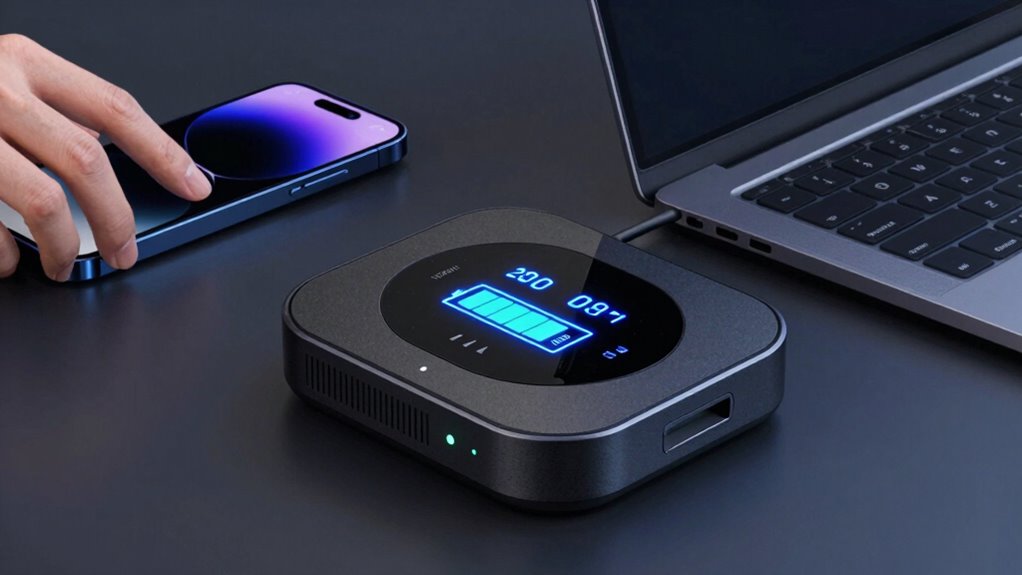
Estimating battery runtime for laptops and phones can be challenging, but understanding the key factors involved helps you make better predictions. One of the most important elements is battery health. Over time, batteries degrade due to chemical changes inside, which reduces their capacity to hold a charge. When your device’s battery health diminishes, even a full charge won’t last as long as it did when the battery was new. To get an accurate estimate, you should check your device’s battery health status regularly. Many laptops and phones have built-in diagnostics or settings that display this information. If your battery health shows a considerable decline, expect shorter runtimes regardless of the remaining charge. Battery degradation is a natural process that impacts overall performance and runtime.
Battery health decline means shorter runtimes, even with a full charge—check it regularly for better device management.
Another critical factor is the number of charging cycles your battery has gone through. A charging cycle is counted each time you use a certain amount of your battery’s capacity — for example, discharging 50% one day and recharging it, then doing the same the next day, counts as one cycle. Batteries are rated for a set number of cycles before their capacity noticeably drops. Most modern lithium-ion batteries, like those in laptops and phones, are designed for around 300 to 500 cycles. Once you surpass this, expect your device’s runtime to decrease because the battery can’t hold as much power as it used to. Monitoring how many cycles your battery has completed helps you anticipate when its performance might decline considerably.
Beyond battery health and charging cycles, other factors influence runtime estimates. Screen brightness, running applications, network activity, and even background processes can drain power faster than usual. Using your device at maximum brightness or with multiple apps open will shorten its battery life, making your estimated runtime less accurate if you don’t account for these variables. Power-saving modes can help extend runtime, but they also impact your device’s performance.
To make a better prediction from a battery station, start by noting your device’s current battery health and charging cycle count. Use this information alongside real-time data like current battery percentage, screen brightness, and active applications. Keep in mind that battery performance varies based on usage patterns, so your estimates should be flexible. Regularly checking your battery’s status and understanding how these factors interact allows you to plan your device usage more effectively, ensuring you won’t be caught off guard by unexpectedly short runtimes.
laptop battery health diagnostic tool
As an affiliate, we earn on qualifying purchases.
As an affiliate, we earn on qualifying purchases.
Frequently Asked Questions
How Accurate Are Battery Runtime Estimates in Real-World Use?
Battery runtime estimates can be fairly accurate, but they often vary in real-world use. Your device’s battery capacity and power consumption play key roles in this variability. As you use your laptop or phone, factors like screen brightness, background apps, and task intensity affect power consumption. So, while estimates give a good idea, expect some differences because actual runtime depends on how you use your device.
Can Software Tools Improve Battery Life Predictions?
Think of software tools as skilled navigators guiding your device’s journey, improving battery life predictions. They analyze battery capacity and optimize power management, giving you clearer estimates and extending usage. These tools adapt to your habits, revealing the true potential of your device’s energy reserves. By harnessing smart algorithms, you gain better control, ensuring your laptop or phone lasts longer without surprises—making your tech’s energy story more predictable and efficient.
Do Battery Station Measurements Vary Between Brands?
Battery station measurements do vary between brands due to measurement variations and differences in design. You’ll notice that some brands prioritize brand consistency, ensuring their measurements are more reliable and standardized. However, measurement variations can occur because each brand might use different testing methods or components, affecting the accuracy of runtime estimates. Always consider these factors when comparing battery life across different brands or devices.
How Often Should I Recalibrate My Device’s Battery?
Think of your device’s battery as a finely tuned instrument that needs regular tuning for performance consistency. You should recalibrate your battery every three to six months, especially if you notice rapid drops in charge or inconsistent runtime. Battery calibration resets the device’s battery indicator, helping it give accurate readings. Staying on top of this keeps your device singing smoothly, ensuring your battery performance remains reliable and true to its potential.
Are There Differences in Estimating Runtime for Older vs. New Batteries?
Yes, there are differences in estimating runtime for older versus new batteries. As batteries age, their power capacity decreases due to battery aging, leading to shorter runtimes. You should consider this decline when estimating how long your device will last, as older batteries provide less power. To get more accurate estimates, recalibrate your battery regularly, and remember that aging batteries tend to drain faster than new ones.
As an affiliate, we earn on qualifying purchases.
Conclusion
So, next time you marvel at your device’s battery life, remember it’s just a magic trick. With a simple calculation, you can predict how long your laptop or phone will actually last—no crystal ball needed. But don’t get too confident; even the best estimates can be as unpredictable as your Wi-Fi signal. In the end, knowing your battery’s capacity is like knowing the secret ingredient—just enough to keep you guessing and your devices running.
battery capacity tester for laptops
As an affiliate, we earn on qualifying purchases.
As an affiliate, we earn on qualifying purchases.
power management tools for smartphones
As an affiliate, we earn on qualifying purchases.
As an affiliate, we earn on qualifying purchases.
Halloween Picks
halloween
As an affiliate, we earn on qualifying purchases.