To plan backup power for internet and remote work, start by identifying your critical devices like your computer, modem, and router. Choose the right backup solutions, such as small UPS units for short outages and generators for longer ones, focusing on energy-efficient options. Use power management tools and regularly test your systems to guarantee reliability. Incorporating renewable energy sources can also enhance sustainability. Keep these strategies in mind to stay connected—there’s more to explore for a seamless setup.

Get backup power and energy gear delivered free with Prime
- Fast, free delivery on millions of items
- Prime Video, Amazon Music and more included
- Member-only deals all year
Key Takeaways
- Assess critical devices like computers, modems, and routers to determine necessary backup power solutions.
- Choose energy-efficient backup options such as UPS units or generators suited to outage duration and device needs.
- Implement power management strategies, including smart strips and scheduled shutdowns, to conserve energy during outages.
- Regularly test and maintain backup systems to ensure reliable operation when needed.
- Develop a clear emergency power plan with procedures for activating and managing backup systems during outages.

In today’s remote work environment, a reliable internet connection is essential, yet power outages can disrupt your productivity and cause frustration. Planning backup power isn’t just about keeping your devices running; it’s about optimizing energy efficiency and implementing effective power management strategies to ensure seamless work continuity. You want solutions that are not only reliable but also energy-conscious, so you minimize unnecessary power consumption while maintaining consistent performance.
Ensuring reliable, energy-efficient backup power maintains productivity and reduces waste during outages.
Start by evaluating your power needs. Identify which devices are critical for your work — your computer, modem, router, and perhaps a few peripherals. This assessment helps you choose the right backup power solution, avoiding over-investment in unnecessary capacity. For example, a small uninterruptible power supply (UPS) might suffice for powering your computer and router during short outages, while longer disruptions may require a more robust generator. Prioritize energy efficiency in your choices; selecting devices with high energy efficiency ratings ensures you’re not wasting electricity during normal operation or outages, reducing your overall energy footprint. Additionally, understanding your device’s energy consumption can help you fine-tune your backup setup for maximum efficiency.
Power management plays a crucial role in your backup plan. Use smart power strips and surge protectors to prevent energy waste from standby modes and power surges. When choosing a UPS, look for models with automatic voltage regulation and energy-saving features. During an outage, the UPS should provide sufficient backup time without draining its battery unnecessarily. Implementing scheduled power management settings on your devices can also help conserve energy, extend backup runtime, and ensure your essential tools stay operational when needed most. Energy-efficient devices can significantly contribute to reducing your backup system’s overall energy consumption. Properly configuring your backup system with power management strategies can further enhance efficiency and reliability. Incorporating renewable energy sources, such as solar panels, into your backup setup can also help reduce reliance on traditional power sources and lower your environmental impact. Exploring smart energy solutions can optimize your backup system’s performance and sustainability.
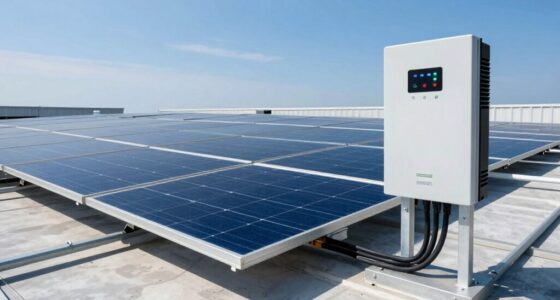
If you opt for a generator, make sure it’s properly sized and regularly maintained. Fuel efficiency becomes a key consideration here, so you choose a generator designed for energy efficiency to reduce fuel consumption and emissions. Also, consider integrating renewable energy sources like solar panels with your backup system. Solar-powered solutions are highly energy-efficient and environmentally friendly, helping you reduce reliance on fossil fuels and lowering long-term operational costs. Combining solar with battery storage creates a sustainable, efficient backup system that can keep your internet and devices running during extended outages.
Finally, develop an easy-to-follow emergency plan. Test your backup power system periodically to ensure it functions correctly when needed. Keep your energy-efficient devices and power management strategies in mind during these tests, adjusting for optimal performance. Remember that automated backup systems can further enhance reliability and reduce manual intervention. With proper planning, you’ll minimize downtime, reduce energy waste, and maintain your productivity even when the power goes out. This proactive approach not only safeguards your work but also supports a more sustainable, energy-conscious remote work setup.
small UPS for internet and computer backup
As an affiliate, we earn on qualifying purchases.
As an affiliate, we earn on qualifying purchases.
Frequently Asked Questions
What Is the Average Cost of Backup Power Solutions?
The average cost of backup power solutions varies based on battery capacity and power sources. Typically, a basic UPS system costs between $100 and $500, while larger generators or advanced battery systems can range from $1,000 to several thousand dollars. Your choice depends on your power needs and desired reliability. Investing in the right backup power guarantees your internet and remote work stay uninterrupted during outages.
How Long Can a Typical Backup Power Source Sustain Internet?
Imagine your backup power as a marathon runner—its battery capacity determines how long it can keep you connected. Typically, a UPS or generator provides 1 to 8 hours of internet power, depending on their size and load. If you have a 600Wh battery, it might sustain your internet for around 2-3 hours. Monitoring your power consumption helps guarantee you’re prepared for extended outages, keeping your remote work uninterrupted.
Are There Eco-Friendly Backup Power Options Available?
Yes, eco-friendly backup power options are available. You can use solar panels to harness renewable energy, reducing your carbon footprint. Pairing solar panels with eco-friendly batteries, like lithium iron phosphate, provides sustainable backup power for your internet and remote work. These options are quiet, clean, and efficient, making them an excellent choice for environmentally conscious setups. Investing in such systems helps you stay connected while caring for the planet.
How Often Should Backup Power Systems Be Tested?
You should test your backup power systems at least twice a year to guarantee reliability. For example, a remote worker in a rural area discovered their battery maintenance was overdue during a storm, leading to power loss. Regular testing helps verify power capacity, identify potential issues, and ensure your system can support your needs during outages. Schedule these tests proactively to keep your backup solutions ready when you need them most.
What Are the Safety Considerations for Backup Power Systems?
You should always follow safety protocols when handling backup power systems to prevent accidents. Guarantee proper ventilation to avoid carbon monoxide buildup, and keep fire extinguishers nearby. Regularly inspect equipment for damage, and never overload circuits. Incorporate emergency preparedness measures by having clear procedures in place, including disconnecting power safely during maintenance. By prioritizing safety considerations, you protect yourself and ensure reliable backup power during outages.
energy-efficient portable generator for home backup
As an affiliate, we earn on qualifying purchases.
As an affiliate, we earn on qualifying purchases.
Conclusion
Having reliable backup power isn’t just a good idea—it’s your lifeline to uninterrupted remote work. With the right planning, you’ll stay connected no matter what chaos storms your way. Think of your backup system as your secret weapon, more powerful than a thousand suns, ensuring your productivity never takes a hit. Don’t wait for a blackout to realize how critical this is—prepare now and keep your work unstoppable, rain or shine.
smart power strips with surge protection
As an affiliate, we earn on qualifying purchases.
As an affiliate, we earn on qualifying purchases.
As an affiliate, we earn on qualifying purchases.
Fall Picks
fall essentials
As an affiliate, we earn on qualifying purchases.