
TL;DR

Get backup power and energy gear delivered free with Prime
- Fast, free delivery on millions of items
- Prime Video, Amazon Music and more included
- Member-only deals all year
The old idea that building your AI workstation is always cheaper is outdated. Today, prebuilt systems often match or beat DIY prices due to component shortages and bulk buying. Your decision now depends more on support, customization, and how much time you want to spend tuning your machine.
Imagine this: you need a high-powered AI workstation ready to roll. Do you build it yourself, pulling every lever for performance? Or do you buy a prebuilt, letting someone else handle the thermal tuning and quality control? The landscape has shifted so much that the classic build-is-cheaper rule no longer applies. Now, the real question is which option aligns with your goals—speed, control, or support—and what you’re willing to pay for that.
By the end of this, you’ll see how recent market changes, from component shortages to bulk buying, tip the scales. Whether you’re a hobbyist eager to tweak every setting or a professional who just wants to get to work, choosing the right approach can save you money or time—and sometimes both.
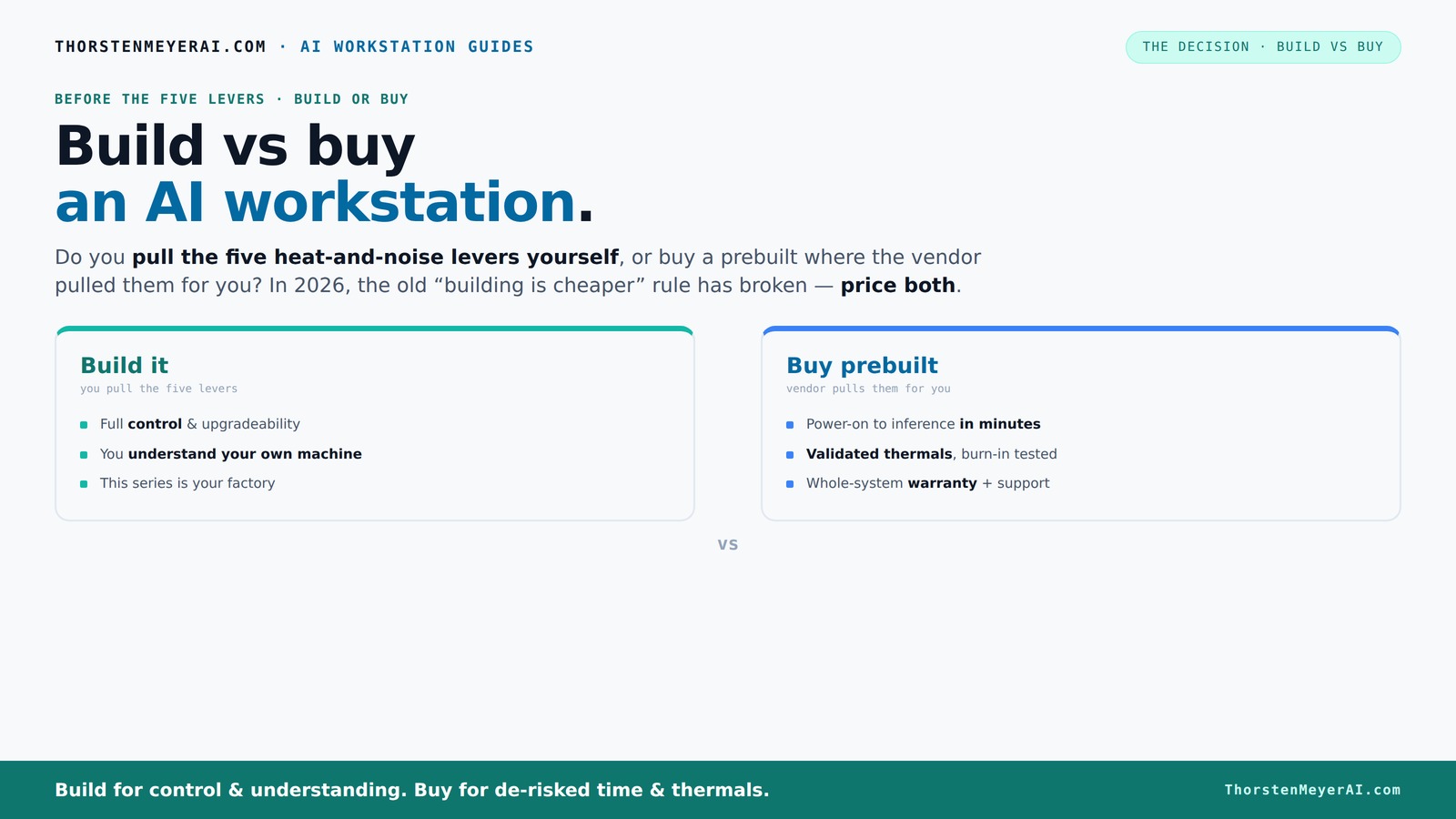
Build vs buy
an AI workstation.
The real question behind this whole series: do you pull the five heat-and-noise levers yourself, or buy a prebuilt where the vendor pulled them for you? And in 2026, the old “building is cheaper” rule has broken. Match your situation in Part 3.
Why 2026 Changes the Build-vs-Buy Rules for AI Workstations
Build versus buy used to be a simple math problem: DIY was almost always cheaper, and prebuilt saved time. Not anymore. In 2026, component shortages and skyrocketing prices for GPUs, RAM, and SSDs have pushed DIY costs higher than ever. Meanwhile, large vendors buy in bulk, locking in lower prices and offering systems that often match or beat the DIY price tag.
For example, a high-end AI rig with four GPUs used to cost $2,500 in parts. Today, the same setup from a vendor might cost the same or less because they’ve negotiated bulk discounts. That flips the game: you can't assume DIY is cheaper anymore. Now, it’s about balancing cost against control, time, and support.
As an affiliate, we earn on qualifying purchases.
Who Pulls the Five Levers? Build vs Buy in Action
The core difference? When you buy prebuilt, the vendor pulls the five levers: undervolting, cooling, airflow, fans, and placement. They validate thermals, test for hours, and deliver a ready-to-run machine, often with water-cooling that keeps noise and heat down. Learn more about cooling solutions. Think of it as a factory-made, performance-optimized car.
Build it yourself? You control every lever. You pick a quiet GPU, undervolt it, choose a case with sound-dampening panels, set up airflow, and tune fans. It’s more work, but it’s also a chance to tailor everything—especially if you’re after maximum silence or specific hardware choices. This is where your expertise becomes your biggest asset.
As an affiliate, we earn on qualifying purchases.
When the Prebuilt Wins: Speed, Support, and Reliability
Imagine you need a workstation yesterday. A prebuilt system is your best bet. It arrives ready with the OS, drivers, and AI software optimized for performance. No fiddling, no troubleshooting. Just turn it on, load your data, and start training or inference.
Plus, reputable vendors run extensive validation—24 to 48 hours of stress testing, ensuring your system won’t throttle under load. They also offer warranties and support plans, so if something goes wrong, you’re not troubleshooting alone. For teams or professionals who value time, this peace of mind is worth the extra cost.
As an affiliate, we earn on qualifying purchases.
When Building Yourself Makes Sense: Customization and Long-Term Control
If you’re comfortable with hardware, building your own workstation offers unmatched control. Want a specific GPU with 48GB VRAM? Or a custom cooling loop for whisper-quiet operation? Building lets you choose every part—down to the power supply and motherboard—to match your workload perfectly.
Plus, DIY gives you flexibility to upgrade over time. See how build options compare. Unlike some prebuilt systems that use proprietary parts, a custom build lets you swap in new GPUs, expand RAM, or add storage as your needs grow.
For example, a hobbyist might start with a modest setup but expand to a multi-GPU powerhouse in a few years, all with compatible parts and full knowledge of each component.
As an affiliate, we earn on qualifying purchases.
Build vs Buy Cost Breakdown: Which Is Cheaper?
| Aspect | Prebuilt AI Workstation |
|---|---|
| Initial Cost | Often comparable or lower due to bulk discounts. Can include software and validation. |
| Time to Set Up | Minutes to hours, depending on complexity. Usually plug-and-play. |
| Support & Warranty | One vendor, support included, longer warranties. |
| Upgradeability | Limited if proprietary parts used. Usually less flexible. |
| Aspect | DIY Build |
|---|---|
| Initial Cost | Potentially lower if you buy parts on sale, but component shortages increase prices. |
| Time to Set Up | Hours to days, including troubleshooting and testing. |
| Support & Warranty | Multiple vendors; support depends on individual components and DIY skills. |
| Upgradeability | High, full control over parts and future expansion. |
Recent Trends: AI-Optimized Hardware and Software
Vendors now emphasize AI-specific hardware-software integration. Discover AI hardware trends. Systems come with AI-optimized features like dedicated NPUs, preinstalled frameworks, and performance tweaks. This means you get a system that’s ready to run models faster and more efficiently, right out of the box.
According to Dell, AI PC optimization can lower latency, reduce power consumption, and unlock features unavailable on standard PCs. This trend pushes the value of prebuilt units even higher, especially for those who want to get started without fuss.
Key Takeaways: What You Should Remember
- Component prices are no longer predictable: Bulk buying and shortages make prebuilt often as affordable as DIY.
- Support and reliability matter: Prebuilts validated for thermals and backed by warranties reduce setup risks.
- Control vs convenience: Building offers customization and future upgradeability, while prebuilts offer speed and support.
- Match your workload: For multi-GPU or specialized setups, vendors often provide better thermal management.
- Decide based on your priorities: Budget, time, expertise, or support needs should guide your choice.
Frequently Asked Questions
Is a prebuilt AI workstation worth it?
Yes, especially if you need a system immediately, want reliable thermals, and prefer support. Prebuilts come ready to run, often with AI software preinstalled, saving you setup time and reducing troubleshooting headaches.Which option is cheaper overall: build or buy?
It depends. Market shortages and bulk buying have leveled the playing field, but building can still be cheaper if you have the skills and time. Always compare the total cost, including your time and potential risks.Will a prebuilt perform as well as a custom build?
In most cases, yes. Reputable vendors validate their systems under load, ensuring performance and thermal stability. For specialized workloads or maximum customization, a DIY build might still have an edge.What components matter most for AI workloads?
GPU VRAM and cores are king, followed by ample RAM, fast storage, and a reliable power supply. AI tasks benefit most from powerful GPUs with large VRAM pools for training and inference.How much RAM and VRAM do I need for local AI work?
Aim for at least 32GB of RAM and 16-24GB of VRAM for most training and inference tasks. Larger models or datasets may require more VRAM and RAM, especially for fine-tuning or large-scale projects.Conclusion
In 2026, the decision between building and buying boils down to your priorities. Want a machine tailored exactly to your needs and ready to upgrade? Building might still be your best bet. But if you crave speed, support, and guaranteed reliability, a prebuilt system could save you time—and money—without sacrifice.
Picture yourself powering through AI models on a quiet, cool system, knowing it’s been tested and supported for the long haul. That’s the real value of the right choice. Are you ready to decide which path will get you there?
Evergreen bestsellers Picks
bestsellers
As an affiliate, we earn on qualifying purchases.