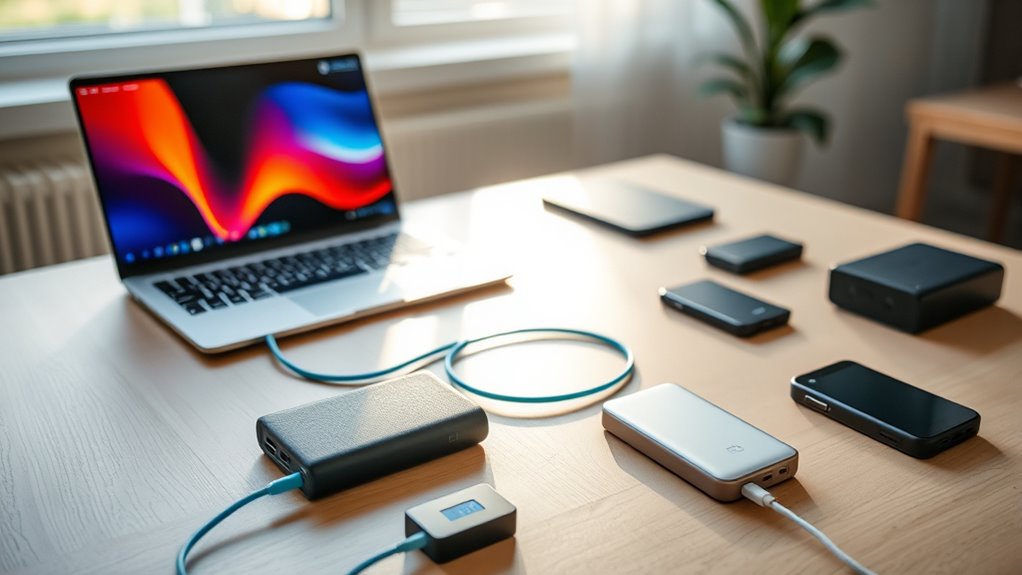

The best battery backup for a laptop depends on whether you need power on the go or protection during an outage. I’d choose the Anker Prime Power Bank, 26,250mAh as the best overall portable pick for its high output, while the APC BE600M1 suits desk setups that need UPS backup and surge protection. For a simpler travel option, the Anker 20,000mAh with built-in USB-C cable reduces what you need to carry. The main tradeoffs are portability versus longer backup time, and USB-C convenience versus the always-connected protection of a UPS. Read on for how all 12 options differ and which type fits your laptop and routine.

Get backup power and energy gear delivered free with Prime
- Fast, free delivery on millions of items
- Prime Video, Amazon Music and more included
- Member-only deals all year
Key Takeaways
- Portable power banks and UPS units solve different problems: the Anker and AsperX models are designed to travel with you, while the APC and CyberPower units stay near a desk and provide battery-backed outlets.
- Output wattage matters as much as stated capacity: a large-capacity bank may still charge a demanding laptop slowly if its USB-C output cannot meet the laptop’s needs.
- The Anker Prime stands apart for high-output portable charging: its 300W rating gives it more headroom than the 165W and 100W options, though many laptops cannot use all that output.
- Built-in cables favor convenience over flexibility: the Anker 20,000mAh and Anker 25,000mAh with built-in cables cut cable clutter, while separate-cable models let you replace or choose the lead.
- The UPS choices are not interchangeable: the APC BE600M1 is a compact desk backup, while the CyberPower EC850LCD adds an LCD and Eco mode; the ST425 is a simpler standby option.
| APC BE600M1 UPS Battery Backup & Surge Protector for Computer, Router, NAS |  | Best for a Fixed Home-Office Setup | Capacity: 600VA / 330W | Number of outlets: 7 | USB connector: USB Type-A | VIEW ON AMAZON | See Our Full Breakdown |
| Portable Power Bank with AC Outlet, 100W, 98Wh/27000mAh High Capacity, 65W PD USB-C Laptop Battery Bank, Backup Power for Travel & Outdoors |  | Best for Laptops That Need an AC Outlet | Battery capacity: 98Wh / 27,000mAh | AC output: 100W | USB-C PD output: 65W | VIEW ON AMAZON | See Our Full Breakdown |
| Anker 25,000mAh Power Bank with 165W Total Output and Multiple USB-C Ports |  | Best for Charging Multiple USB-C Devices | Battery capacity: 25,000mAh | Total output: 165W | Number of ports: 4 | VIEW ON AMAZON | See Our Full Breakdown |
| JUOVI 65W Portable Laptop Power Bank 20000mAh |  | Best for Everyday 65W Laptop Charging | Battery capacity: 20,000mAh | Maximum power output: 65W | Ports: 2 USB-A and 2 USB-C | VIEW ON AMAZON | See Our Full Breakdown |
| Anker Power Bank 20,000mAh with Built-in USB-C Cable, 87W Fast Charging, Black |  | Best for Cable-Free Laptop Carry | Battery capacity: 20,000mAh | Maximum power output: 87W | Built-in cable: USB-C | VIEW ON AMAZON | See Our Full Breakdown |
| Gensrock Portable Power Bank, 24,000mAh Portable Laptop Charger |  | Best for Off-Grid Versatility | Battery capacity: 24,000mAh | Output ports: 8 total | AC output: 2 outlets; 120W, 150W peak | VIEW ON AMAZON | See Our Full Breakdown |
| AsperX Laptop Power Bank, 165W 20,000mAh with Retractable Cable and Aluminum Unibody |  | Best for Built-In Cable Convenience | Battery capacity: 20,000mAh | Maximum output power: 165W | USB-C outputs: 1 x 100W port and 1 x 100W retractable cable | VIEW ON AMAZON | See Our Full Breakdown |
| CyberPower ST425 Standby UPS Battery Backup and Surge Protector |  | Best Compact Desk UPS | Maximum power: 260W | Outlets: 8 | Listed runtime: 1 minute | VIEW ON AMAZON | See Our Full Breakdown |
| CyberPower EC850LCD Ecologic UPS Battery Backup and Surge Protector |  | Best for a Multi-Device Workstation | Maximum power: 500W | Output wattage: 510W | Outlets: 12 | VIEW ON AMAZON | See Our Full Breakdown |
| Anker Prime Power Bank, 26,250mAh, 300W Fast Charging |  | Best High-Output Portable Pick | Battery capacity: 26,250mAh | Total output power: 300W | Maximum output per port: 140W | VIEW ON AMAZON | See Our Full Breakdown |
| Anker 25,000mAh Portable Laptop Power Bank with 165W Output and Built-In Cables |  | Best for Cable-Free Travel | Battery capacity: 25,000mAh | Total output: 165W | Ports: 4 total: 3 USB-C and 1 USB-A | VIEW ON AMAZON | See Our Full Breakdown |
| AsperX Laptop Power Bank, 165W 20000mAh, Aluminum Unibody, TFT Display Gray |  | Best for At-a-Glance Power Monitoring | Battery capacity: 20,000mAh | Maximum output: 165W | Ports: 3 total: two 100W USB-C and one 30W USB-A | VIEW ON AMAZON | See Our Full Breakdown |
| battery backup for laptop | Battery capacity | Weight | Dimensions |
|---|---|---|---|
| APC BE600M1 UPS Battery Backup | — | 7.5 pounds | 10.79 x 4.13 x 5.47 inches |
| Portable Power Bank with AC Ou | 98Wh / 27,000mAh | 300g | 6.7 x 2.6 x 2.6 inches |
| Anker 25,000mAh Power Bank wit | 25,000mAh | Not specified | — |
| JUOVI 65W Portable Laptop Powe | 20,000mAh | 400g | 5.4 x 1 x 2.8 inches |
| Anker Power Bank 20,000mAh wit | 20,000mAh | 15.2 ounces | 6.2 x 2.89 x 1.02 inches |
| Gensrock Portable Power Bank | 24,000mAh | 2.3 lbs | 6.6 x 4 x 3 inches |
| AsperX Laptop Power Bank | 20,000mAh | — | — |
| CyberPower ST425 Standby UPS B | — | — | — |
| CyberPower EC850LCD Ecologic U | — | — | — |
| Anker Prime Power Bank | 26,250mAh | 600g | 6.3 x 2.5 x 1.5 inches |
| Anker 25,000mAh Portable Lapto | 25,000mAh | — | — |
| AsperX Laptop Power Bank | 20,000mAh | 273.6g | 6.14 x 2.08 x 1.63 inches |
More Details on Our Top Picks
APC BE600M1 UPS Battery Backup & Surge Protector for Computer, Router, NAS
For a laptop used at a desk, the APC BE600M1 fills a different role from the portable power banks here: it stays plugged into wall power and provides a short window to save work or keep a router running during an outage. Its 330W capacity and seven outlets suit a laptop plus lower-power essentials, while the USB-A port can charge a small device. Unlike the Anker 25,000mAh Power Bank, this UPS is not made to travel or recharge a laptop away from an outlet; its advantage is protection for a stationary setup and an user-replaceable battery. The tradeoff is limited outage runtime, especially with several devices attached, and battery replacement means buying a compatible battery separately. Choose it for desk-side continuity, not extended mobile power.
Pros:- Seven outlets accommodate a laptop and several small peripherals.
- Battery backup and surge protection support a fixed desk setup.
- User-replaceable battery can extend the UPS’s useful life.
- Built-in USB-A port provides an additional charging option.
Cons:- 330W output and short runtime are not suited to prolonged outages or high-power equipment.
- Replacement battery must be purchased separately.
- At 7.5 pounds, it is much less convenient to carry than the portable power banks.
Best for: Home-office laptop users who want backup time to save work and keep a router or other small devices running through brief outages.
Not ideal for: Travelers or anyone needing hours of laptop charging away from a wall outlet; this is a stationary UPS with limited runtime.
- Capacity:600VA / 330W
- Number of outlets:7
- USB connector:USB Type-A
- Input and output voltage:120V
- Battery charge time:10 hours
- Dimensions:10.79 x 4.13 x 5.47 inches
- Weight:7.5 pounds
- Warranty:3 years
Our verdict“Choose the APC BE600M1 for brief, desk-side laptop backup and surge protection, not mobile or all-day power.”
Portable Power Bank with AC Outlet, 100W, 98Wh/27000mAh High Capacity, 65W PD USB-C Laptop Battery Bank, Backup Power for Travel & Outdoors
This power bank is the standout for buyers whose laptop setup depends on an AC plug rather than USB-C charging. Its 100W AC outlet adds compatibility that the Anker 25,000mAh Power Bank and JUOVI 65W charger do not offer, while the 65W USB-C output gives compatible laptops a direct charging route. That flexibility makes it useful for travel or outdoor work, but it does not make the unit suitable for every laptop: devices drawing over 100W exceed its stated AC output, and USB-C laptop charging is capped at 65W. The listed 98Wh capacity gives a clearer airline-relevant figure than mAh alone, though actual laptop runtime depends on the device and load. Its 300g weight is portable, but the AC outlet is only worth carrying if your laptop needs it.
Pros:- 100W AC outlet supports compatible laptop adapters and other small AC devices.
- 65W USB-C PD output provides a direct charging option for compatible laptops.
- 98Wh capacity is specified alongside the 27,000mAh figure.
- Multiple output options can serve laptops, phones, and tablets.
Cons:- AC output is limited to 100W, so higher-draw laptops are outside its stated capability.
- USB-C output is limited to 65W, below the 87W Anker 20,000mAh model’s stated output.
- AC power may be unnecessary bulk for buyers whose devices charge over USB-C.
Best for: Travelers with a laptop that requires an AC adapter or people who want both an AC outlet and USB-C charging in one portable backup.
Not ideal for: Owners of laptops that need more than 100W from AC or more than 65W over USB-C, and buyers who only need a simple USB-C power bank.
- Battery capacity:98Wh / 27,000mAh
- AC output:100W
- USB-C PD output:65W
- USB outputs:12W and 18W
- Battery type:Lithium-ion
- Dimensions:6.7 x 2.6 x 2.6 inches
- Weight:300g
- Certifications:FCC, CE, RoHS
Our verdict“Pick this model if your laptop needs an AC outlet; choose a USB-C-only bank if that extra output is unnecessary.”
Anker 25,000mAh Power Bank with 165W Total Output and Multiple USB-C Ports
The Anker 25,000mAh bank is the strongest fit in this group for someone carrying a laptop and several USB-C devices. Its 165W total output and three USB-C ports make it more flexible for simultaneous charging than the JUOVI 65W model, whose lower stated output better suits a single laptop and lighter device load. The 25,000mAh capacity also exceeds the 20,000mAh Anker model, though capacity alone does not establish how many laptop charges you will get. Built-in retractable cables reduce the need to pack separate leads, but the product data does not specify weight, making carry comfort harder to judge. A charger is not included, so buyers need a suitable wall charger for recharging the bank. Its multi-device strength matters most when you can use the ports and output together.
Pros:- 25,000mAh capacity provides a substantial portable reserve for compatible devices.
- 165W total output supports charging multiple devices at once.
- Three USB-C ports suit a USB-C-heavy laptop and accessory setup.
- Retractable built-in cables reduce the number of separate leads to pack.
Cons:- Weight is not specified, making portability difficult to compare.
- Charger is not included for recharging the power bank.
- Its total output advantage is less useful for buyers charging only one low-power device.
Best for: Laptop travelers who regularly need to charge a USB-C laptop alongside a phone, tablet, or other USB-C gear.
Not ideal for: Buyers who want the lightest or most clearly specified carry option, or anyone who expects a wall charger to be included.
- Battery capacity:25,000mAh
- Total output:165W
- Number of ports:4
- USB-C ports:3, each listed at up to 100W
- Connector types:USB Type-A and USB Type-C
- Battery cell type:Lithium polymer
- Weight:Not specified
- Charger included:No
Our verdict“Choose this Anker when multi-device USB-C charging matters more than a confirmed carry weight or an included wall charger.”
JUOVI 65W Portable Laptop Power Bank 20000mAh
The JUOVI is a straightforward match for laptops that charge comfortably within a 65W USB-C output. Its 20,000mAh capacity and four listed ports—two USB-A and two USB-C—make it a practical shared backup for a laptop and smaller devices. Compared with the Anker 25,000mAh bank, JUOVI offers less capacity and lower stated output, so it is not the pick for charging several demanding devices at once. The Anker 20,000mAh model, by contrast, lists 87W output and a built-in cable, giving it more headroom and less cable packing. JUOVI’s 3-year warranty is a useful point of differentiation, but its 400g weight is substantial for this capacity, and the product data does not spell out per-port output when several devices are connected.
Pros:- 65W output supports compatible laptops and common mobile devices.
- Two USB-C and two USB-A ports offer several connection options.
- 20,000mAh capacity provides a portable backup for everyday travel.
- Listed 3-year warranty gives buyers a defined coverage period.
Cons:- 65W output is below the 87W Anker 20,000mAh model and may be insufficient for some laptops.
- 400g weight is relatively high for a 20,000mAh power bank.
- Per-port output behavior during simultaneous charging is not specified.
Best for: Laptop users with a 65W-or-lower USB-C charging requirement who want multiple ports for a phone and accessories.
Not ideal for: Owners of higher-wattage laptops or travelers prioritizing lighter carry weight and more output headroom.
- Battery capacity:20,000mAh
- Maximum power output:65W
- Ports:2 USB-A and 2 USB-C
- Voltage:5V
- Amperage:3A
- Battery cell type:Lithium polymer
- Dimensions:5.4 x 1 x 2.8 inches
- Weight:400g
- Warranty:3 years
Our verdict“Choose the JUOVI for a multi-port 65W backup, but step up to a higher-output option for a demanding laptop.”
Anker Power Bank 20,000mAh with Built-in USB-C Cable, 87W Fast Charging, Black
For buyers who want a capable laptop backup without packing a separate USB-C lead, this Anker pairs a 20,000mAh battery with an integrated cable and up to 87W output. That gives it more power headroom than the JUOVI 65W model while keeping the same listed capacity, making it a better match for laptops that draw more than 65W when charging. It is also simpler to pack than the Anker 25,000mAh bank if reducing loose cables matters more than extra capacity or multiple USB-C ports. The product lists three ports, but its stated built-in cable is the main convenience feature; the supplied data does not detail the other port types. At 15.2 ounces, it is not especially light, and buyers who need several separate charging leads may prefer a more port-flexible option.
Pros:- 87W output provides more headroom than the JUOVI 65W bank.
- Built-in USB-C cable means one fewer charging lead to pack.
- 20,000mAh capacity supports a portable laptop backup role.
- Three ports provide more than one device connection.
Cons:- At 15.2 ounces, it adds noticeable weight to a travel bag.
- 20,000mAh capacity is lower than the Anker 25,000mAh model.
- Port details beyond the built-in USB-C cable are not specified in the supplied data.
Best for: Laptop commuters and travelers who want an integrated USB-C charging cable and up to 87W output in a 20,000mAh bank.
Not ideal for: People who need multiple USB-C connections or the larger capacity of the Anker 25,000mAh model, or who are minimizing bag weight.
- Battery capacity:20,000mAh
- Maximum power output:87W
- Built-in cable:USB-C
- Number of ports:3
- Weight:15.2 ounces
- Dimensions:6.2 x 2.89 x 1.02 inches
- Charging voltage:5V
- Amperage:3.25A
- Battery type:Lithium polymer
Our verdict“Choose this Anker for an integrated cable and stronger output than the JUOVI, unless you need greater capacity or lighter carry.”
Gensrock Portable Power Bank, 24,000mAh Portable Laptop Charger
The Gensrock is the most flexible pick here for buyers who want laptop backup alongside power for smaller devices and gear. Its two AC outlets, USB ports, and DC ports let it serve more kinds of equipment than the USB-C-focused AsperX Laptop Power Bank, while its 2.3-pound, compact body is easier to carry than a conventional desktop UPS. The tradeoff is its 150W peak limit: check your laptop’s input needs before relying on the AC outlets, especially with performance laptops. Its 24,000mAh capacity is useful for travel or short outages, but the listing does not specify laptop runtime, and solar recharging requires a separate panel. I’d choose it for varied low-to-moderate-power loads, not as a high-wattage laptop solution.
Pros:- AC, USB, and DC outputs accommodate a wider range of devices than USB-C-only banks
- Compact 2.3-pound design is practical for travel and outdoor backup
- Digital energy display and built-in emergency lights aid basic power monitoring and outage use
- Can recharge from an AC outlet, car outlet, or a separately purchased solar panel
Cons:- 150W peak output rules out laptops and accessories that draw more power
- Solar panel is not included, adding a separate purchase for solar charging
- 24,000mAh capacity may not provide enough backup for extended laptop use
Best for: Travelers and campers who need one portable source for a compatible laptop, phones, and small DC devices
Not ideal for: Owners of high-power laptops requiring more than 150W, or buyers who need a solar panel included
- Battery capacity:24,000mAh
- Output ports:8 total
- AC output:2 outlets; 120W, 150W peak
- USB ports:3: Type-C, QC 3.0, and 5V/2.4A
- DC ports:2
- Dimensions:6.6 x 4 x 3 inches
- Weight:2.3 lbs
- Recharging options:AC outlet, solar panel, or car outlet
Our verdict“Choose the Gensrock if you want portable AC, USB, and DC options for a compatible laptop and smaller devices, but skip it for laptops needing over 150W.”
AsperX Laptop Power Bank, 165W 20,000mAh with Retractable Cable and Aluminum Unibody
The AsperX pairs strong USB-C output with a design that cuts down on cable clutter. Its retractable 100W USB-C cable can charge a compatible laptop without packing a separate lead, while another 100W USB-C port offers a second high-output connection. Compared with the Gensrock, it is a more direct fit for USB-C laptops and has a higher stated maximum output; unlike the Anker Prime Power Bank, it has no listed app control or 300W total output. The aluminum unibody and TFT display add durability and clear charge information, but the 20,000mAh capacity is less than the Anker Prime’s 26,250mAh. Recharging tops out at 65W, so replenishing the bank may take longer than its laptop-charging capability suggests.
Pros:- Retractable 100W USB-C cable reduces the number of accessories to pack
- Two 100W USB-C charging options suit compatible laptops and other high-draw devices
- Aluminum unibody offers a sturdy feel and supports heat dissipation
- TFT display shows real-time battery information
Cons:- USB-C compatibility limits use with laptops that require another charging method
- 65W maximum recharging rate can make replenishing the bank slower than its output suggests
- 20,000mAh capacity is lower than the Anker Prime Power Bank’s 26,250mAh
Best for: Students and frequent travelers with USB-C laptops who want a high-output bank with a cable built in
Not ideal for: People with laptops that do not charge over USB-C, or buyers prioritizing maximum capacity and rapid power-bank recharging
- Battery capacity:20,000mAh
- Maximum output power:165W
- USB-C outputs:1 x 100W port and 1 x 100W retractable cable
- USB-A output:1 x 30W
- Maximum recharging rate:65W
- Material:Aluminum alloy
- Display:TFT digital display
- Voltage and amperage:20V, 5A
Our verdict“Pick the AsperX if a built-in cable and 100W USB-C charging matter more than the Anker Prime’s larger capacity and higher total output.”
CyberPower ST425 Standby UPS Battery Backup and Surge Protector
The ST425 is a desk-side backup for keeping a laptop setup protected from abrupt power loss, rather than a battery you carry with your computer. It provides eight outlets and surge protection in a compact form, making it a better match for a home office with a laptop, monitor, and router than the portable Gensrock. Its 260W maximum output can serve a modest setup, but the listed runtime is only one minute, so I’d treat this as a brief window to save work or shut down—not a way to keep working through an outage. The EC850LCD offers more outlets and a display, while the ST425’s simpler compact design may suit buyers who want fewer monitoring features. Its lead-acid battery also needs eventual replacement.
Pros:- Eight outlets provide connections for a small desk setup
- Compact form factor fits more easily near a workstation than a portable power station
- Battery backup and surge protection help cover brief interruptions and power spikes
- Three-year warranty and connected-equipment coverage are listed
Cons:- One-minute listed runtime is only suited to saving work or brief shutdown time
- 260W maximum output limits the connected load
- Lead-acid battery requires replacement after its service life
Best for: Home-office users who want a compact UPS for a laptop, router, and a few peripherals during brief interruptions
Not ideal for: Remote workers seeking hours of portable laptop use or anyone who needs long runtime during sustained outages
- Maximum power:260W
- Outlets:8
- Listed runtime:1 minute
- Battery type:Lead acid
- Input and output voltage:120V
- Battery average life:3 years
- Form factor:Compact
Our verdict“Choose the ST425 for compact, brief backup at a laptop desk, not for portable charging or extended work during an outage.”
CyberPower EC850LCD Ecologic UPS Battery Backup and Surge Protector
The EC850LCD suits a fixed laptop workstation where outlet count and at-a-glance status matter more than portability. Its 12 outlets and multifunction LCD make it better equipped than the CyberPower ST425 for a desk with a laptop, networking gear, and other peripherals; ECO mode can also reduce energy use for connected equipment. This is still a plug-in UPS, not a travel power bank, and its listed two-minute runtime at full load offers only a short window to save files or shut down. The 500W maximum power rating gives it more room for a desktop-style setup than the ST425’s 260W, but buyers should not read that as extended laptop runtime. The LCD may also take time to learn, and battery replacement details are limited.
Pros:- Twelve outlets accommodate more workstation devices than the ST425
- LCD panel provides UPS status information at a glance
- ECO mode can reduce energy use for suitable connected devices
- Three-year warranty includes the battery
Cons:- Two-minute listed runtime at full load is limited to brief interruptions and shutdown
- Its fixed UPS format is not suited to charging a laptop on the move
- Battery replacement information is limited, and the LCD controls may feel complex
Best for: Home-office users with a laptop, router, and several peripherals who want more outlets and status information at one desk
Not ideal for: Travelers or anyone who needs a portable battery, or workers expecting to keep a full workstation running through a long outage
- Maximum power:500W
- Output wattage:510W
- Outlets:12
- Listed runtime:2 minutes
- Battery type:Sealed lead acid
- Input voltage:120V
- Output voltage:230V
- Warranty:3 years, including batteries
Our verdict“Pick the EC850LCD for a fixed, multi-device laptop desk that needs extra outlets and status monitoring, but not for portable or long-duration backup.”
Anker Prime Power Bank, 26,250mAh, 300W Fast Charging
The Anker Prime is the strongest choice in this group for buyers who want substantial output from a portable USB power bank. Its 300W total output and 140W per-port capability give it more headroom than the 165W AsperX, while the 26,250mAh capacity exceeds both the AsperX and Gensrock on their stated figures. That combination suits compatible laptops and multiple devices better than the CyberPower UPS models, which are meant to stay beside a workstation. A smart display and app control add useful charging information, and the product data lists a rapid recharge claim. The cost of that capability is a 600g carry weight and reliance on compatible USB charging; it is not an AC-outlet power station, and the listing notes limited compatibility with some devices.
Pros:- 300W total output provides more headroom than the 165W AsperX
- 26,250mAh capacity is the largest listed among the portable banks in this batch
- Smart display and app control provide charging and battery information
- Rapid recharge claim lists reaching 50% in 13 minutes
Cons:- 600g weight makes it less convenient for buyers prioritizing a light everyday carry
- USB Type-A and Type-C outputs do not provide the AC outlet found on the Gensrock
- Compatibility is device-dependent, and the listing specifically excludes Starlink Mini
Best for: Traveling professionals carrying a compatible high-power USB-C laptop who also want to charge other devices from one bank
Not ideal for: Buyers who need an AC outlet, a very light carry, or confirmed compatibility with devices such as Starlink Mini
- Battery capacity:26,250mAh
- Total output power:300W
- Maximum output per port:140W
- Ports:3
- Connector types:USB Type-A and USB Type-C
- Weight:600g
- Dimensions:6.3 x 2.5 x 1.5 inches
- Warranty:24 months
Our verdict“Choose the Anker Prime for high-output portable USB charging and larger stated capacity, provided your laptop is compatible and you can carry its extra weight.”
Anker 25,000mAh Portable Laptop Power Bank with 165W Output and Built-In Cables
The 25,000mAh capacity and 165W total output make this Anker a strong fit for laptop owners who want to top up more than one device away from an outlet. Its standout travel advantage is the pair of built-in retractable USB-C cables, which reduce the extra cords to pack; the listed three USB-C ports and one USB-A port also leave room for other devices. Compared with the Anker Power Bank 20,000mAh with Built-in USB-C Cable, 87W Fast Charging, this model offers more capacity and higher total output for simultaneous charging. The tradeoff is that 165W is shared output, not a guarantee that one laptop receives that much power. Recharging at full speed calls for a 100W-or-higher charger, and the unspecified weight and limited durability details make it harder to judge for frequent, rough travel.
Pros:- 25,000mAh capacity provides substantial portable charging for laptops and smaller devices.
- 165W total output supports charging multiple devices at once.
- Retractable built-in USB-C cables reduce loose cables in a travel bag.
- Listed as flight-friendly for travel use.
Cons:- 165W is the combined output; the product data does not specify the maximum output available to one device.
- Fast recharging requires a 100W-or-higher charger.
- Weight and detailed durability information are not provided.
Best for: Laptop travelers who want to charge a computer and several smaller devices while carrying fewer separate cables.
Not ideal for: Buyers who need a precisely documented weight, ruggedness details, or a battery backup that powers a laptop through a household AC outlet.
- Battery capacity:25,000mAh
- Total output:165W
- Ports:4 total: 3 USB-C and 1 USB-A
- Built-in cables:Retractable USB-C cables
- Recharge time:2 hours
- Battery type:Lithium Polymer
- Compatibility:Laptops, smartphones, tablets, cameras, and gaming consoles
- Fast-recharge requirement:100W-or-higher charger
Our verdict“Choose this Anker if you want high capacity and integrated cables for multi-device travel, but skip it if you need a documented weight or AC-outlet backup.”
AsperX Laptop Power Bank, 165W 20000mAh, Aluminum Unibody, TFT Display Gray
The AsperX pairs 165W output with a TFT display that shows battery and power metrics, a useful distinction for laptop users who want a clearer read on charging activity. Its dual 100W USB-C connections and third USB-A port suit a laptop-plus-accessories setup, while the 273.6g weight and compact stated dimensions make it easier to pack than a larger backup unit. Compared with the Anker 25,000mAh Portable Laptop Power Bank with 165W Output and Built-In Cables, this model gives up 5,000mAh of listed capacity and built-in cables, but adds a display and a stated aluminum body and weight. That information makes portability easier to evaluate, though the supplied details do not establish durability under impacts. Charging speed depends on the adapter, and the product notes that some USB-C ports may be data-only, so check the specific port before relying on it for laptop charging.
Pros:- 165W maximum output with two listed 100W USB-C connections.
- TFT display provides real-time battery and power metrics.
- 273.6g weight and stated dimensions support compact carry.
- Aluminum unibody construction and a two-year warranty are specified.
Cons:- 20,000mAh capacity is lower than the 25,000mAh Anker option in this roundup.
- Charging speed depends on the power adapter used.
- Some USB-C ports may be data-only, so port functionality needs checking.
Best for: Laptop commuters who want a compact power bank with visible battery and power readings and can verify which USB-C port supports charging.
Not ideal for: Travelers who prioritize maximum stated capacity or integrated charging cables, or buyers who need every USB-C port confirmed as a charging port.
- Battery capacity:20,000mAh
- Maximum output:165W
- Ports:3 total: two 100W USB-C and one 30W USB-A
- Dimensions:6.14 x 2.08 x 1.63 inches
- Weight:273.6g
- Material:Aluminum unibody
- Display:TFT display for battery and power metrics
- Warranty:2 years
Our verdict“Pick the AsperX for compact carry and visible power readings, but choose the higher-capacity Anker if integrated cables and longer portable runtime matter more.”

How We Picked
I grouped these 12 products by the job they do: portable USB power banks for charging away from an outlet, and standby UPS units for keeping a desk setup powered through interruptions. I compared stated capacity and output with the practical needs of a laptop, along with charging connections, portability, outlet availability, and features such as displays or built-in cables. Since the lineup does not provide verified runtime figures for a specific laptop, I avoid treating capacity claims as a guarantee of hours of use.
The ranking favors options with a clear fit for laptop backup, useful output headroom, and fewer setup compromises. The Anker Prime leads among portable banks for its 300W output, while the APC BE600M1 is the strongest desk-oriented choice in a roundup that spans both categories. The 165W Anker and AsperX models follow for buyers prioritizing portable laptop charging, with simpler or lower-output banks offering a more focused alternative. The CyberPower UPS units rank by how well their features match different desk needs, not by portability.
Factors to Consider When Choosing Battery Backup For Laptop
Before choosing a backup, decide whether you need to carry it or leave it connected to your workstation. I’d then match its output and connections to the laptop’s charging requirements, rather than picking by capacity alone. These checks can prevent a backup that is too heavy, too slow, or suited to the wrong kind of outage.
Match the Backup Type to Where You Work
A portable power bank is useful when you need to keep working away from a wall outlet, such as on a train, at a café, or during travel. A UPS is intended to remain plugged into a wall and gives connected equipment a short window of battery power when household electricity fails. That window may help you save work or ride out a brief interruption; it does not make a desk setup portable. A common mistake is buying a UPS for travel or a power bank expecting it to act like a desk UPS. If you need both use cases, treat them as separate jobs and choose a device for each rather than expecting one unit to cover both well.
Check Laptop Charging Wattage and USB-C Requirements
Look at the wattage printed on your laptop’s power adapter or specified by its manufacturer, then compare it with the backup’s output through the port you plan to use. A power bank’s total output may be shared among several devices, so connecting a phone at the same time can affect what reaches the laptop. USB-C charging also depends on compatible power delivery support and a suitable cable, not just a USB-C-shaped connector. If the backup supplies less power than the laptop draws under heavy use, it may charge slowly or only slow battery drain. Paying for far more output than your laptop can use may not help, but buying too little can undercut the backup’s purpose.
Read Capacity as a Guide, Not a Runtime Promise
Capacity labels help compare banks, but they do not translate directly into a fixed number of laptop hours. Conversion losses, the laptop’s battery size, screen brightness, workload, and whether you are charging while working all affect usable energy. A video call or demanding software can draw power faster than light browsing. Compare capacity alongside output and your laptop’s battery information, and leave room for losses rather than assuming every listed watt-hour reaches the computer. When runtime is a firm requirement, seek a manufacturer estimate for your laptop class or check independent testing for the exact model.
Weigh Carrying Bulk Against Backup Time
A higher-capacity bank can extend your time away from an outlet, but it usually adds weight and takes up more bag space. Built-in cables reduce the chance of forgetting a lead, while a separate cable is easier to replace and may better suit a laptop with particular charging needs. A retractable cable can keep a bag tidy, though it adds a moving part to the device. Think about your usual route and how often you can recharge the backup itself. For occasional short trips, a compact bank may be more useful day to day than a larger model that stays at home.
Choose UPS Outlets for the Equipment You Need to Keep On
With a UPS, count the devices you want to keep powered and check which outlets provide battery backup rather than surge protection alone. A desk setup may include a laptop charger, monitor, router, or storage device, but plugging in every accessory can reduce available runtime. An LCD can make status easier to check, while Eco features may manage power to selected outlets; extra controls are useful only if they fit your setup. Do not assume every outlet on a UPS has the same function. Plan the connections before buying, and reserve battery-backed outlets for equipment whose power loss would interrupt work or connectivity.
Think About Recharging, Compatibility, and Long-Term Use
A backup is only helpful if it is charged when you need it, so check how it recharges and whether that process fits your routine. Frequent travelers may prefer a power bank that can recharge through a commonly available USB-C connection, while a UPS normally stays connected to mains power. Confirm laptop charging compatibility, cable requirements, and any airline rules that apply to the power bank’s watt-hour rating before flying. Batteries also age, and capacity can decline with use and time; avoid treating a new-device runtime estimate as permanent. For a UPS, check the manufacturer’s guidance on battery replacement and maintenance before choosing a model for long-term desk service.
Frequently Asked Questions
Should I buy a portable power bank or a UPS for my laptop?
Choose a portable power bank if you need to charge while away from a wall outlet. Choose a UPS if your laptop and other desk equipment need battery-backed power during brief outages or interruptions. A UPS is designed to stay connected to mains power, so it is not a practical substitute for a travel battery. A power bank can keep a laptop running on the move, but it does not provide the same always-connected outlet setup for a desk. If both situations matter, separate devices are usually the clearer fit.
How much output does a laptop power bank need?
Start with the wattage of your laptop’s supplied charger or the charging specification from its manufacturer. The power bank needs to support that level through a compatible port and charging standard to deliver a similar charging experience. A lower-output bank may still help, but it can charge slowly or struggle to keep up while the laptop is under heavy load. Check whether the advertised figure applies to one port or is shared across several ports. Use a compatible cable, since the wrong cable can limit charging even when the bank has sufficient output.
Can a 20,000mAh or 25,000mAh power bank fully recharge my laptop?
Capacity alone cannot confirm whether a bank will fully recharge a particular laptop. Usable energy is affected by conversion losses, the laptop’s battery size, and power draw while it is running. A demanding workload can consume energy as fast as the bank supplies it, leaving less available for charging the internal battery. Check the bank’s watt-hour and output specifications alongside your laptop’s battery and charging details. Treat any expected charge count as an estimate unless it is based on testing with your laptop model.
Can I use a laptop power bank on a plane?
Many portable power banks can travel in carry-on baggage, but airline rules place limits on battery capacity and may require approval for some units. Check the watt-hour rating printed on the device and review the rules for your airline and route before departure. Do not rely only on a large mAh figure, since airline limits are commonly stated in watt-hours. Keep the bank accessible for inspection and follow instructions about using or charging it during the flight. A desk UPS is not a travel battery and should not be treated as one.
Will a UPS keep my laptop running for hours during an outage?
A UPS is generally meant to bridge an interruption, give you time to save work, or keep selected equipment powered briefly; exact runtime depends on the unit and connected load. A laptop’s own battery can extend working time if it is charged, while accessories such as a monitor and router add demand to the UPS. Do not infer hours of runtime from the outlet count or the UPS model name. Check published runtime information for the load you plan to connect, and prioritize the laptop and essential network equipment if backup time is limited. For a long outage, a UPS may need to be paired with a separate, appropriately rated power source.
Conclusion
For most people choosing a portable battery backup for a laptop, I’d start with the Anker Prime Power Bank, 26,250mAh: its 300W output gives it the most headroom in this portable lineup, though its full capability may exceed what many laptops need. For best value and a simpler travel setup, the Anker 20,000mAh with built-in USB-C cable keeps the kit straightforward; the JUOVI 65W is another focused option for compatible, lower-demand laptops. The best premium portable pick is the Prime, while the best for beginners is the Anker with its built-in cable, which removes one easy-to-forget accessory. For a desk affected by power interruptions, choose the APC BE600M1 for a compact UPS setup or the CyberPower EC850LCD if its display and Eco features suit your needs; pick the simpler ST425 when those extras are not a priority. Match the final choice to your laptop’s charging requirements and whether your backup needs to travel or stay at your desk.