To power multiple laptops and monitors off-grid, you’ll need a solar setup with appropriately sized panels, high-capacity deep cycle batteries, and a reliable inverter. The solar panels supply energy during the day, while batteries store excess power for night use, ensuring continuous operation. Properly integrating a charge controller and compatible hardware maximizes efficiency and safety. If you want to build a sustainable, reliable off-grid office, exploring these components further will give you a clearer plan.
Key Takeaways
- Use high-capacity deep cycle batteries to ensure sufficient energy storage for multiple laptops and monitors.
- Size your solar panel array appropriately to meet the total power consumption and reduce battery dependency.
- Incorporate a reliable charge controller and inverter capable of handling the combined load of all devices.
- Position solar panels in optimal sunlight, facing south with minimal shading, to maximize energy generation.
- Design a well-balanced system to ensure continuous, off-grid power for your office setup with minimal downtime.

Have you ever wondered what it’s like to work completely off the grid? It’s a unique experience, especially when you’re powering multiple laptops and monitors without relying on traditional electricity sources. The key to making this possible lies in a well-designed off-grid power system that combines solar panels and battery storage. Solar panels are your primary energy source, harnessing sunlight during the day to generate electricity. When the sun shines, these panels convert solar energy into usable power, which can be stored in batteries for later use. This setup allows you to work uninterrupted, even when the sun isn’t shining.
Working off the grid with solar power keeps your workspace running smoothly anywhere.
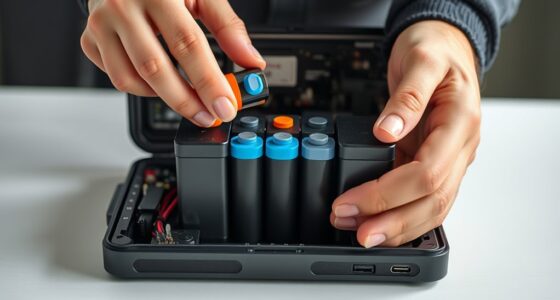
Battery storage plays an essential role in maintaining a reliable power supply. It stores excess energy produced during sunny hours, so you can draw from it when clouds roll in or at night. The capacity of your batteries determines how long you can run your office equipment without sunlight. High-capacity batteries mean more hours of operation and less concern about power outages. When selecting batteries, look for options with deep cycle capabilities, designed to be discharged and recharged repeatedly, ensuring longevity and efficiency.
Setting up your off-grid office requires careful planning. You need to determine your total power consumption—how many laptops, monitors, and other devices you want to run simultaneously—and then size your solar array accordingly. A larger solar panel array will produce more electricity, reducing reliance on batteries and ensuring consistent power supply. Proper placement of the panels is essential; they should face south (in the northern hemisphere) and be free of shading to maximize sunlight exposure. Additionally, understanding size restrictions and local regulations can help you design a compliant and efficient setup.
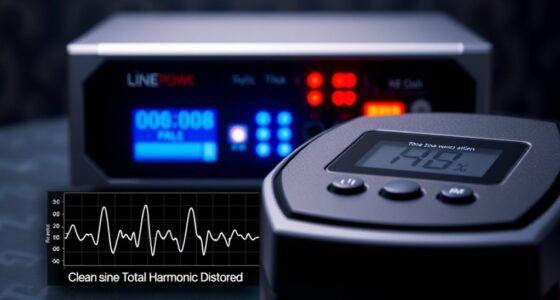
Integrating solar panels with battery storage isn’t just about hardware; it also involves a good quality charge controller. This device manages the flow of energy from your panels to your batteries, preventing overcharging and ensuring safety. Additionally, an inverter converts the stored DC power into AC power, which most office devices need. Choosing an inverter with sufficient capacity is necessary for running multiple laptops and monitors simultaneously without overloading the system.
Working off the grid offers freedom and sustainability, but it demands a reliable energy setup. With the right combination of solar panels, battery storage, and compatible components, you can power your office efficiently and independently. This setup not only reduces reliance on external power sources but also minimizes your carbon footprint. So, whether you’re in a remote location or just seeking a self-sufficient workspace, investing in a robust off-grid power system makes it all possible—allowing you to work seamlessly while staying environmentally conscious.

SOARAISE Solar Power Bank 48000mAh Wireless Portable Charger with 4 Cables
- High-Efficiency Solar Panels: 4 premium solar panels for faster charging
- Large Capacity Battery: 48000mAh lithium-polymer battery for extended use
- Multi-Device Charging: Supports 7 devices simultaneously with multiple ports
As an affiliate, we earn on qualifying purchases.
Frequently Asked Questions
How Long Can a Portable Power Station Run Multiple Devices?
The duration a portable power station can run multiple devices depends on its battery capacity and device compatibility. If your power station has a high-capacity battery, it can support several laptops and monitors for hours. Keep in mind, devices with higher power consumption will drain the battery faster. To maximize runtime, choose a station that matches your devices’ power needs and guarantees compatibility for safe, efficient operation.
What Are the Best Solar Panels for Off-Grid Office Setups?
Think of solar panels as the sun’s handshake, sealing your off-grid office’s energy deal. For peak performance, look for panels with high solar panel efficiency—these capture more sunlight and generate more power. Portable solar kits are perfect for flexibility, letting you set up quickly and adapt to your needs. Brands like Renogy and Jackery offer reliable options, combining efficiency with portability to keep your workspace powered under any sun.
How to Ensure Safety When Using Batteries off the Grid?
To guarantee safety when using batteries off the grid, you should prioritize battery safety and fire prevention. Always use batteries from reputable brands and follow manufacturer guidelines closely. Keep batteries in a cool, dry place and avoid overcharging or discharging them excessively. Regularly inspect for damage or leaks, and install proper ventilation and fire suppression systems. These steps help prevent accidents and keep your off-grid setup secure.
Can Off-Grid Power Systems Support High-Power Equipment?
Your off-grid power system can handle high-power equipment if you choose a battery capacity large enough to meet your needs, like filling a swimming pool with energy. Guarantee your inverter efficiency is high, so minimal power is lost during conversion. This way, you can power multiple laptops and monitors without worry. Properly sizing your system and selecting efficient inverters makes supporting high-demand devices possible, even off the grid.
What Maintenance Is Required for Off-Grid Power Solutions?
You need to regularly check your off-grid power system to keep it running smoothly. Monitor your battery lifespan to make certain it’s not degrading too quickly, and perform system troubleshooting if you notice any issues like inconsistent power or warning signals. Keep connections clean and dry, and follow manufacturer maintenance guidelines. Doing so helps extend your system’s life and ensures reliable power for your laptops and monitors.

Jackery Solar Generator 1000 v2 and 200W Solar Panel,1070Wh,1500W AC
- Powerful AC Output: 1500W continuous, 3000W surge
- Lightweight & Portable: 23.8 lbs with foldable handle
- Fast Charging: Full charge in 1 hour via app
As an affiliate, we earn on qualifying purchases.
Conclusion
By exploring off-grid power solutions, you can confidently run multiple laptops and monitors without relying on traditional electricity. The theory that renewable energy sources like solar panels provide reliable, sustainable power proves true when properly set up. With the right equipment, you’ll enjoy uninterrupted productivity, reduce your carbon footprint, and gain independence from grid outages. Embrace these solutions, and you’ll find working off-grid not only feasible but also rewarding and eco-friendly.
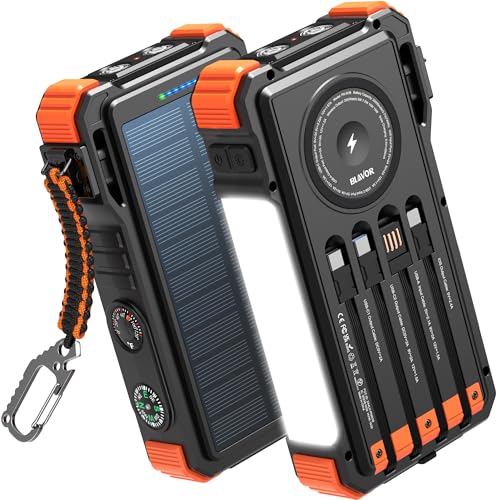
BLAVOR Solar Power Bank 20000mAh Built-in Cables, Wireless Charger for Phones & Apple Watch, 20W Fast Charging Battery Pack with USB C, Flashlight, Solar Charger for iPhone, iPad, iWatch, Samsung
- Simultaneously Charge 6 Devices: Multiple cables and ports for 6 devices
- High Capacity & Fast Charging: 20000mAh battery with 20W USB-C fast charge
- Wireless Charging for Phones & Apple Watch: Built-in wireless charger for convenience
As an affiliate, we earn on qualifying purchases.

MARBERO 111Wh Solar Generator with Panels Included Solar Panel Kit 30W
- Solar Generator with Panel: Includes 111Wh power station and 30W solar panel
- Multiple Power Outputs: USB, AC, and DC ports for versatile charging
- High Capacity Battery: 111Wh (30,000mAh) lithium battery for reliable power
As an affiliate, we earn on qualifying purchases.