TL;DR

Get backup power and energy gear delivered free with Prime
- Fast, free delivery on millions of items
- Prime Video, Amazon Music and more included
- Member-only deals all year
Portable power stations are rechargeable battery systems that can run selected devices during an outage, but they do not automatically power an entire home. Compare battery capacity in watt-hours with device energy use, and check output watts for startup surges; plan for real-world losses, safe placement, and a reliable way to recharge.
When the power cuts out, a quiet refrigerator and a dark router can turn an ordinary evening into a scramble for flashlights and phone batteries. A portable power station can keep selected essentials running, but the number printed on its box won’t tell you by itself whether it can run your fridge until morning.
This guide explains what portable power stations are, how to estimate runtime, and how to choose a setup for home backup. You’ll also learn where solar helps, which safety rules matter, and why powering a few devices is different from powering your whole house.
Think of the station as a rechargeable reserve, not an unlimited wall outlet. A little planning—such as knowing your router’s wattage and your refrigerator’s startup needs—can make the difference between a useful backup and a heavy battery that runs flat too soon.
Choose a station by checking both stored energy in Wh and continuous or surge output in W.
Estimate runtime from usable energy and average device draw, then allow for inverter losses and changing loads.
Check refrigerator startup needs and typical energy use instead of assuming a universal runtime.
Solar can extend use when the station and panels are compatible, but clouds and short days reduce charging.
Use station outlets directly; hire a licensed electrician for any connection to home wiring.
What a portable power station can—and can’t—run
A portable power station is a rechargeable battery system with built-in outlets and charging inputs, designed to power selected devices when household electricity is unavailable. You can plug in items such as lamps, phones, internet equipment, and some refrigerators, as long as the station’s output and stored energy suit the load. Its practical value comes from matching a finite store of energy to the things you most need; every device you add shortens the time available to the others.
Two ratings shape the choice. Capacity, measured in watt-hours (Wh), describes stored energy; output, measured in watts (W), describes how much power the inverter can provide at once. Capacity answers how long a load might run, while output answers whether the station can run it in the first place. A 1,000 Wh station might have enough stored energy for a modest load but still fail to start a motor if its surge output is too low. Continuous output matters too: several devices that each work alone can exceed the station’s limit when plugged in together.
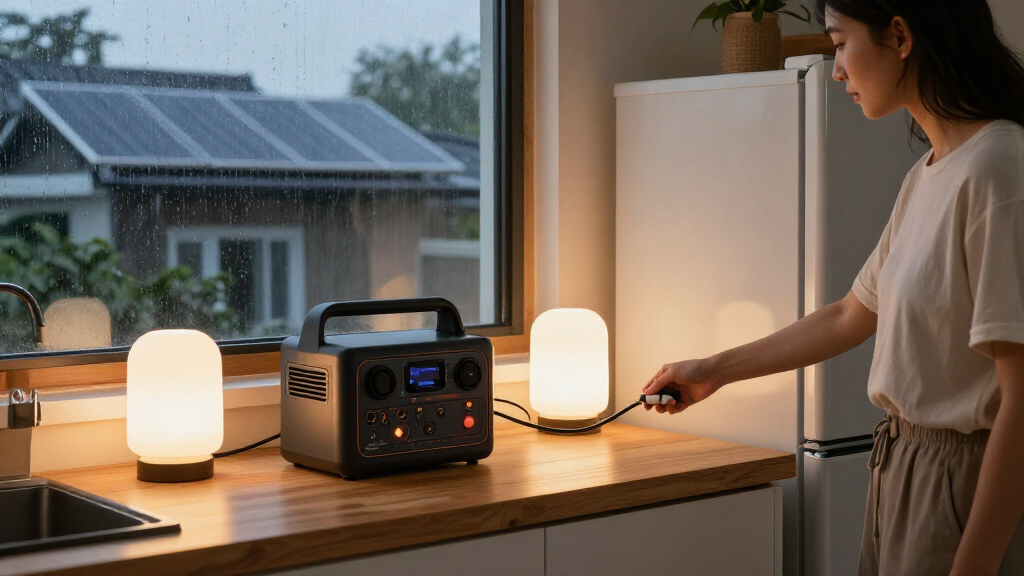
For instance, you might use one station to keep a router, two LED lamps, and phones running through an evening outage. That is a different job from running central air conditioning or electric heating, which can draw far more power and drain a battery quickly. High-draw appliances can use a substantial share of stored energy in a short time, leaving less reserve for communications or food storage. A station is a useful backup for chosen essentials, not automatically a whole-home generator.
Most models have outlets on the unit itself, so you plug devices directly into the station. Some systems support home integration with compatible transfer equipment, but connecting to house wiring requires a safe, code-compliant setup. A wall outlet must never serve as a route to feed power back into home circuits. That can energize wiring unexpectedly and create a serious hazard for utility workers and occupants.
Products Worth Considering

Bose SoundLink Plus Portable Bluetooth Speaker, Wireless Outdoor Speaker, Up to 20 Hours Battery Life, Waterproof and Dustproof, Black

Ring Alarm Pro 14-Piece Home Security Kit with Built-In eero Wi-Fi 6 Router

TCL 65 Inch QM8L Series SQD-Mini LED QLED 4K Smart Google TV
As an affiliate, we earn on qualifying purchases.
Choose capacity and output with a quick home-load plan
Portable power stations for home backup need to match both the energy your devices use and the peak power they demand. Start with the devices you need during an outage, estimate their average wattage and hours of use, then check that their combined load and any startup surge fit the station’s ratings. Separating those two checks avoids a common mistake: buying a battery with plenty of stored energy that cannot deliver enough power to start an appliance.
- Write down essential devices. Include a refrigerator, router, lights, phone chargers, or medical equipment you rely on. Rank them if necessary; knowing what can be switched off helps preserve energy when an outage lasts longer than expected.
- Check running and startup watts. Motors in refrigerators and pumps may briefly draw more power as they start. Use the appliance label or manufacturer information where available. The surge is brief, but if it exceeds the station’s capability, the appliance may not start even though its normal running demand is modest.
- Estimate energy use. Multiply average watts by hours of use, then add the devices together. For example, a 10 W router used for 10 hours takes about 100 Wh before conversion losses. This estimate helps compare your planned use with capacity, though actual demand can vary with settings and operating cycles.
- Allow for real-world losses. Usable battery energy is lower than the label suggests after inverter losses and device behavior, so treat runtime calculations as estimates. A margin matters because an outage plan that uses every nominal watt-hour leaves no allowance for conversion losses or unexpectedly long use.
The simple rule runtime in hours ≈ usable Wh ÷ device watts gives a starting point, not a promise. A 500 Wh usable battery running a steady 50 W load might provide about 10 hours on paper, but the actual runtime will be lower. Refrigerators make this harder because they cycle on and off rather than drawing the same power all day. Their average energy use can be lower than their running wattage suggests, while startup demand can still determine whether the station can operate them.
Imagine your household wants cold food and internet during a six-hour outage. Measure or look up the fridge’s typical energy use, check its startup needs, and add the router and lighting before choosing a station. If the total is close to the station’s usable capacity, reduce optional loads or choose more capacity; otherwise, a small change in runtime or appliance behavior could leave you without the backup you planned for. That shortlist tells you more than buying the biggest-looking number you can afford.
Compare battery chemistry, charging, and the weight you’ll carry
Portable power stations vary in battery chemistry, recharge speed, weight, and price, so the best fit depends on how you’ll use one. Many newer mid-size and larger models use lithium iron phosphate (LFP), which generally offers long cycle life and good thermal stability; other lithium-ion chemistries can weigh less or fit a smaller design. Cycle life describes how many charge and discharge cycles a battery can deliver under stated conditions, so compare how each manufacturer defines it and what capacity remains at the end of that period. A longer cycle-life claim is most useful if you expect frequent use; for an emergency unit used rarely, storage guidance, warranty, and readiness may matter more.
| Feature | What it means for you | What to check |
|---|---|---|
| Capacity | More stored energy can extend runtime, but adds size, weight, and cost. | Usable energy and your expected loads |
| Output | Higher output can run more or larger devices at once. | Continuous watts and surge watts |
| Battery chemistry | Chemistry affects weight, cycle life, and other product tradeoffs. | Cycle-life definition and warranty |
| Charging inputs | Wall, vehicle, and solar inputs offer different ways to refill. | Input limits and supported connectors |
Charging options can matter as much as capacity. Wall charging is convenient before an outage; a vehicle outlet can help on the road; and solar panels may replenish a compatible station when the sun cooperates. Recharge speed affects how quickly the unit is ready between outages or during a brief window of power, while input limits determine how much energy it can accept at once. A panel rated for strong sunlight won’t deliver that full output all day if clouds roll in or winter light fades early.
Recent models may offer faster AC charging, solar connections, expandable batteries, or app-based controls, but these features vary. Before choosing, compare the specific model’s warranty, cycle-life terms, weight, charging limits, and panel compatibility. Expandable batteries can add runtime, but also add cost and bulk; faster charging is useful only if your available power source and the station’s input support it. If the station will live in a closet until an emergency, a manageable weight and clear storage guidance may matter more than a feature you rarely use.
Use solar to stretch backup time, with a weather plan
Solar panels can recharge a compatible portable power station during an outage, but solar charging depends on conditions and won’t guarantee continuous power. The station must accept the panel’s voltage, current, connector, and wattage, and the available sunlight must be strong enough to deliver useful energy. This makes solar a way to replenish a limited reserve, rather than a fixed substitute for grid power: the energy gained may vary from one day or hour to the next.
For example, a family might run a router and charge phones overnight, then place compatible panels outside during a clear morning to restore some of the battery. Cloud cover, shade, panel angle, and short winter days can reduce that refill. The difference matters because the energy used overnight may exceed what the panels return during a poor-weather day. Keep the station’s solar input limit in mind too: adding panel capacity beyond what it can accept may not make charging faster.
Plan around changing weather rather than assuming a panel will replace every watt you use. During a long outage, reserve energy for the devices that matter most, and recharge during good daylight when possible. If the forecast turns gray, reduce optional loads—perhaps pause a game console or extra lamp—to leave more stored energy for evening communications and essential needs. Treating solar as uncertain replenishment also helps avoid drawing the battery down on the assumption that tomorrow’s charging will make up the difference.
Follow the station and panel manuals for placement and connections. Keep the battery ventilated and dry, protect it from temperature extremes, and use compatible equipment. A battery station produces no exhaust at the point of use, but it still stores substantial energy and should be operated as specified.
Keep home wiring and medical backup safe
A portable power station can safely power devices through its own outlets when you follow the manual, but home wiring needs compatible transfer equipment and proper installation. Never plug a station into a wall outlet to energize house circuits; that can cause dangerous backfeed and put people working on electrical lines at risk. Transfer equipment isolates the home from the utility supply while backup power is connected, which helps prevent that unintended path and makes the arrangement suitable for fixed circuits.
If you want to connect backup power to a breaker panel or fixed home wiring, hire a licensed electrician to select and install the right equipment under local electrical codes and permit rules. For example, a homeowner who wants selected circuits available during outages should discuss the intended loads and transfer setup with an electrician before buying a station. The loads matter because a panel connection doesn’t increase the station’s capacity: too many circuits or high-draw appliances can exceed its output and shorten runtime. Keep the system’s limits clear so you don’t overload it.
Medical equipment needs extra planning. Some stations may run a CPAP or other device, but runtime depends on the device’s power draw, settings, and required output. A humidifier or other accessory can change consumption, so a basic estimate may not reflect the configuration used overnight. Check the medical device manufacturer’s guidance and consult your care provider about a dependable backup plan; don’t rely on an estimated battery duration for equipment essential to health.
Use compatible chargers and panels, keep the unit dry and ventilated, and avoid extreme temperatures. If the station or cable looks damaged, stop using it and follow the manufacturer’s service guidance. Safety is part of the backup plan, just like having enough stored energy.
Make a small backup plan before the next outage
A practical backup plan begins with priorities, not product size: decide which devices matter, how long you need them, and how you’ll recharge. A couple in a small apartment may prioritize a phone, router, and two lights, while a household with medically necessary equipment needs a more careful capacity and reliability plan. Prioritizing also gives you a way to respond if the battery runs down faster than expected: you already know which loads can be paused.
Write a short list and keep it near the station. Add each device’s wattage, typical hours of use, and whether it has a motor or special power requirement. If you don’t know a refrigerator’s average consumption, look for its energy-use information or measure it during normal use; the nameplate alone may show rated power rather than typical cycling behavior. This record turns the station’s capacity into a practical schedule, and helps household members make consistent choices during an outage.
Before an outage, charge the unit according to its manual and learn how its display shows remaining capacity. Try your intended setup on an ordinary evening: connect the router and lamps, check that everything works, and see how quickly the battery level falls. A short trial can show whether the estimated load is realistic and whether the devices can run together within the station’s output limit. That simple rehearsal can reveal a weak cable, an inconvenient placement, or an unrealistic runtime expectation while the lights are still on.
Store the station in a suitable dry location and follow the manufacturer’s guidance for storage charge and periodic checks. Keep the manual and compatible cables nearby. A quiet battery sitting ready beside a flashlight is far more useful than an impressive unit buried under boxes with no one sure how to use it.
Frequently Asked Questions
What size power station do I need for home backup?
List the devices you need, their running and startup wattages, and how many hours you want to use them. Choose capacity for the energy total and output for the highest combined load, with room for real-world losses.
How long will a portable power station run a refrigerator?
There is no single runtime because refrigerators cycle on and off, and use varies with model, room temperature, and door openings. Check typical energy use and startup surge, then compare those figures with the station’s usable capacity and output.
Can a portable power station power my whole house?
Usually not by itself. Whole-home backup needs a system designed and sized for those loads, plus a safe connection using compatible equipment installed to local electrical requirements.
Can I connect a power station to my home’s outlets or breaker panel?
Never connect it by plugging into a wall outlet, which can cause dangerous backfeed. Home wiring connections require compatible transfer equipment and installation by a licensed electrician.
Can I recharge it with solar panels during an outage?
Often, if the station supports solar input and the panels match its voltage, current, connector, and wattage limits. Charging speed changes with sunlight, weather, shading, and panel placement.
Can a portable power station run a CPAP machine?
Some models can, but confirm the CPAP’s power requirements, expected runtime, and compatibility with the station. For medically necessary equipment, discuss a reliable backup plan with your care provider.
Conclusion
Choose a portable power station around the devices you truly need, then check its capacity, output, recharge options, and safety guidance before an outage. A measured plan for a router, lights, and food storage will serve you better than assuming one battery can run every appliance in the house.
Keep the station charged, practice your setup, and know where its limits sit. When the neighborhood goes dark, a calm plan and a few bright lamps can make home feel steady again.