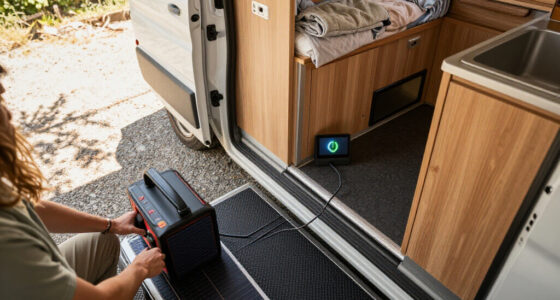
The best smart energy gateways connect compatible devices and give you a practical route to a more coordinated smart home. I rank the Aeotec Smart Home Hub V3 first for its broad protocol and ecosystem support, while the SONOFF Bridge Max stands out for SONOFF-centered setups and the MOES Gateway for Zigbee and Bluetooth Mesh combinations. The main tradeoff is breadth versus simplicity: a hub with more protocol support may take more setup, while a focused gateway can leave some devices outside its reach. Compatibility depends on exact device models and software support, not just matching protocol names. Read on for the full comparison and buying guidance.

Get backup power and energy gear delivered free with Prime
- Fast, free delivery on millions of items
- Prime Video, Amazon Music and more included
- Member-only deals all year
Key Takeaways
- Aeotec ranks first for flexibility: its combination of SmartThings, Z-Wave, Zigbee, and Matter support gives it a broader role than the more protocol-focused gateways.
- Protocol labels do not guarantee compatibility: Zigbee, Bluetooth, and Matter devices still need support from the gateway’s software and ecosystem.
- SONOFF Bridge Max is a focused choice: it makes the most sense when SONOFF devices and their ecosystem are central to the setup, rather than as a universal hub.
- Several gateways cover overlapping basics: the MOES, two Tuya models, and Toyanc offer combinations of Zigbee and Bluetooth, so app support and exact device compatibility can separate them more than the protocol list.
- The GHome G2B serves a narrower job: its Bluetooth-lock focus may suit a lock-centered setup, but it is less appropriate as the main hub for a broad smart home.
| MOES Zigbee and Bluetooth Mesh Smart Home Gateway |  | Best for Tuya Multi-Protocol Setups | Protocols: Zigbee 3.0 and Bluetooth Mesh (SIG) | Maximum supported devices: 128 | Network: 2.4 GHz | VIEW LATEST PRICE | See Our Full Breakdown |
| Aeotec Smart Home Hub V3 with SmartThings, Z-Wave, Zigbee, and Matter |  | Best Overall for Multi-Protocol Homes | Model: V3 Smart Home Hub (2020), GP-AEOHUBV3US | Connectivity: Ethernet, Wi-Fi, Z-Wave, Zigbee, and Matter | Smart home compatibility: SmartThings, Alexa, Google Home, and Google Assistant | VIEW LATEST PRICE | See Our Full Breakdown |
| SONOFF Bridge Max Smart Home Hub (Bridge-M) |  | Best for Local and Home Assistant Setups | Connectivity: Zigbee, BTHome, eWeLink, and Matter bridging | Smart home integration: Alexa, Google Home, and Apple Home | Home Assistant support: MQTT | VIEW LATEST PRICE | See Our Full Breakdown |
| Tuya Zigbee 3.0 and Bluetooth 5.0 Smart Gateway Hub |  | Best Value for a Basic Tuya Bridge | Connectivity: Wi-Fi, Zigbee, and Bluetooth | Zigbee version: 3.0 | Bluetooth version: 5.0 | VIEW LATEST PRICE | See Our Full Breakdown |
| GHome Smart G2B WiFi Gateway for Bluetooth Smart Locks |  | Best for Remote Smart-Lock Access | Model: G2B | Wi-Fi: 2.4 GHz and 5 GHz | Compatibility: Compatible GHome Bluetooth smart locks and selected Tuya Bluetooth devices | VIEW LATEST PRICE | See Our Full Breakdown |
| Tuya Zigbee 3.0 and Bluetooth Mesh Smart Home Gateway |  | Best for Large Tuya Device Setups | Protocols: Zigbee 3.0 and Bluetooth Mesh (SIG) | App compatibility: Tuya Smart and Smart Life | Voice assistants: Alexa and Google Home | VIEW LATEST PRICE | See Our Full Breakdown |
| Toyanc Smart Multi-Mode Gateway with Zigbee 3.0, Bluetooth Mesh, and Wi-Fi |  | Best for Local Automations | Protocols: Zigbee 3.0, Bluetooth Mesh, and Wi-Fi | Wi-Fi band: 2.4 GHz | App compatibility: Tuya Smart and Smart Life | VIEW LATEST PRICE | See Our Full Breakdown |
| smart energy gateway | Voice assistants | Model |
|---|---|---|
| MOES Zigbee and Bluetooth Mesh | Alexa and Google Assistant | MHUB-C-MS |
| Aeotec Smart Home Hub V3 with | — | V3 Smart Home Hub (2020), GP-AEOHUBV3US |
| SONOFF Bridge Max Smart Home H | — | — |
| Tuya Zigbee 3.0 and Bluetooth | Amazon Alexa and Google Assistant | — |
| GHome Smart G2B WiFi Gateway f | Alexa and Google Assistant | G2B |
| Tuya Zigbee 3.0 and Bluetooth | Alexa and Google Home | Multi-mode Gateway-1 |
| Toyanc Smart Multi-Mode Gatewa | Amazon Alexa and Google Home | — |
More Details on Our Top Picks
MOES Zigbee and Bluetooth Mesh Smart Home Gateway
The MOES Gateway is a practical pick when a Tuya-based home mixes Zigbee 3.0 and Bluetooth Mesh devices. It supports up to 128 compatible devices, giving it more room to grow than a lock-specific bridge like the GHome Smart G2B. Plug-in power also avoids wiring, while app control, voice commands, and local automations cover the everyday jobs most buyers want from a gateway.
The tradeoff is a closed compatibility lane: devices need to be Tuya-compatible, and setup depends on 2.4 GHz Wi-Fi. Unlike the Aeotec Smart Home Hub V3, this is not the better choice for a household building around a broader mix of smart-home ecosystems. Choose MOES when its supported protocols match the devices you already own; skip it if you want wider platform flexibility.
Pros:- Bridges compatible Zigbee 3.0 and Bluetooth Mesh devices
- Supports up to 128 compatible devices
- Plug-in setup needs no wiring
- Offers app and voice control plus local automation and security functions
Cons:- Works only with Tuya-compatible smart devices
- Requires a 2.4 GHz network
- Less suited to mixed-platform homes than the Aeotec Smart Home Hub V3
Best for: Households with Tuya-compatible Zigbee and Bluetooth Mesh devices that want one plug-in hub for app control and local automations.
Not ideal for: Buyers with non-Tuya devices or a network that relies only on 5 GHz Wi-Fi, since this gateway requires compatible devices and a 2.4 GHz connection.
- Protocols:Zigbee 3.0 and Bluetooth Mesh (SIG)
- Maximum supported devices:128
- Network:2.4 GHz
- Connector:Plug-in, Type C
- Amperage:1 A
- Compatible apps:MOES and Smart Life
- Voice assistants:Alexa and Google Assistant
- Model:MHUB-C-MS
Our verdict“Choose MOES if your smart-home devices are Tuya-compatible and you want Zigbee and Bluetooth Mesh under one simple hub.”
Aeotec Smart Home Hub V3 with SmartThings, Z-Wave, Zigbee, and Matter
The Aeotec Smart Home Hub V3 earns the broadest role in this group because it brings SmartThings, Zigbee, Z-Wave, and Matter support together, with Wi-Fi or Ethernet for the hub’s network connection. That range gives a mixed-device household more room to build routines than the Tuya-focused MOES Gateway, while local automations can keep supported routines responsive without relying on cloud processing for every action.
This flexibility comes with a regional limit: the hub is designed for North America, and the listed Z-Wave Plus support applies to the V3 model. Buyers who only need a Tuya bridge may find the MOES Gateway a simpler fit, while the SONOFF Bridge Max is more appealing for local web-console and MQTT users. I’d choose Aeotec for a SmartThings-centered home that values protocol breadth, not for a single-brand setup.
Pros:- Combines SmartThings, Zigbee, Z-Wave, and Matter support
- Connects to the network by Wi-Fi or Ethernet
- Supports local automations for responsive routines
- Works with Alexa and Google Assistant
Cons:- Designed for use in North America
- Z-Wave Plus support is specified for the V3 model only
- May be more hub than needed for a Tuya-only setup like the MOES Gateway
Best for: North American households combining SmartThings devices with Zigbee, Z-Wave, or Matter gear and wanting local routines.
Not ideal for: Buyers outside North America or people who only need a basic Tuya Zigbee-and-Bluetooth bridge.
- Model:V3 Smart Home Hub (2020), GP-AEOHUBV3US
- Connectivity:Ethernet, Wi-Fi, Z-Wave, Zigbee, and Matter
- Smart home compatibility:SmartThings, Alexa, Google Home, and Google Assistant
- Z-Wave frequency:908.42 MHz
- Weight:1.1 pounds
- Color:White
- Warranty:1 year
- Designed for:North America
Our verdict“Pick Aeotec for a North American SmartThings home that needs broad protocol support and local automation options.”
SONOFF Bridge Max Smart Home Hub (Bridge-M)
The SONOFF Bridge Max is the most appealing option here for buyers who want local control and Home Assistant integration rather than a basic app-only bridge. Its local LAN console works without cloud services, and MQTT support gives Home Assistant users a route to connect compatible Zigbee, BTHome, and eWeLink devices. It can also expose bridged devices to Matter-compatible platforms, including Apple Home, Alexa, and Google Home.
Its Matter role has a firm boundary: this is a Matter Bridge, not a Matter Controller, so it cannot add Matter devices directly. That makes it less flexible as a central hub than the Aeotec Smart Home Hub V3, which lists Matter support alongside Zigbee and Z-Wave. The built-in 90 dB alarm adds value for compatible Zigbee sensors, but buyers who want broad device onboarding should look elsewhere.
Pros:- Local LAN web console operates without cloud services
- Supports Home Assistant integration through MQTT
- Bridges compatible Zigbee, BTHome, and eWeLink devices to Matter platforms
- Built-in 90 dB alarm can work with compatible Zigbee sensors
Cons:- Matter Bridge only; it cannot act as a Matter Controller
- Cannot add Matter devices directly
- Its local and MQTT features may be unnecessary for buyers seeking simple app control
Best for: Home Assistant users and privacy-minded smart-home owners who want a local console, MQTT integration, and device bridging to Matter platforms.
Not ideal for: Buyers who need a Matter Controller to add Matter devices directly or want a straightforward general-purpose hub like the Aeotec V3.
- Connectivity:Zigbee, BTHome, eWeLink, and Matter bridging
- Smart home integration:Alexa, Google Home, and Apple Home
- Home Assistant support:MQTT
- Web interface:Local LAN console; no cloud required
- Alarm volume:90 dB
- Matter functionality:Matter Bridge only; not a Matter Controller
Our verdict“Choose SONOFF if local access and Home Assistant MQTT matter more to you than direct Matter-device onboarding.”
Tuya Zigbee 3.0 and Bluetooth 5.0 Smart Gateway Hub
This Tuya gateway is a straightforward way to connect compatible Zigbee 3.0 and Bluetooth 5.0 devices through Smart Life or Tuya Smart, with remote app and voice control over 2.4 GHz Wi-Fi. Compared with the MOES Gateway, it uses Bluetooth 5.0 rather than Bluetooth Mesh and lists fewer device-management details, so I’d favor MOES for a Tuya setup that specifically needs Mesh support or a stated capacity of 128 devices.
The Tuya hub keeps installation simple with USB power and no network cable, but compatibility is its main constraint. It does not support some devices, including blinds, Sengled bulbs, and door locks, and it only works with Tuya-protocol products. That makes it a sensible basic bridge for a known-compatible device set, not a safe bet for a varied smart-home collection. Check device compatibility before choosing it over the broader Aeotec hub.
Pros:- Connects compatible Zigbee 3.0 and Bluetooth 5.0 devices through one hub
- Supports Smart Life and Tuya Smart app control
- Works with Alexa and Google Assistant voice control
- Uses USB power and does not need a network cable
Cons:- Limited to devices using Tuya protocols
- Does not support some devices, including blinds, Sengled bulbs, and door locks
- Requires 2.4 GHz Wi-Fi
Best for: Tuya Smart or Smart Life users connecting known-compatible Zigbee and Bluetooth devices who want remote app and voice control.
Not ideal for: Buyers with blinds, Sengled bulbs, door locks, non-Tuya devices, or a network without 2.4 GHz Wi-Fi.
- Connectivity:Wi-Fi, Zigbee, and Bluetooth
- Zigbee version:3.0
- Bluetooth version:5.0
- Wi-Fi band and standard:2.4 GHz, 802.11n
- Compatible apps:Smart Life and Tuya Smart
- Voice assistants:Amazon Alexa and Google Assistant
- Power connection:Micro-USB
- Device compatibility:Tuya protocol devices; some blinds, Sengled bulbs, and door locks are unsupported
Our verdict“Pick this hub for a simple Tuya setup only after confirming that every device you plan to connect is supported.”
GHome Smart G2B WiFi Gateway for Bluetooth Smart Locks
The GHome Smart G2B serves a narrower purpose than the other gateways here: it connects compatible GHome Bluetooth locks to Wi-Fi so owners can manage remote locking, passcodes, alerts, and activity. That focus makes it a better match for lock access than the MOES Gateway, which supports a wider set of Tuya Zigbee and Bluetooth Mesh devices but is not presented as a lock-management bridge. The G2B also supports both 2.4 and 5 GHz Wi-Fi, easing network-band restrictions that affect the MOES and Tuya gateways.
The limitation is equally clear: this is not a general-purpose smart-home hub. It requires an existing compatible Bluetooth lock, and support for other devices is limited to selected Tuya Bluetooth products. Unlike the Aeotec Smart Home Hub V3, it does not offer a broad collection of smart-home protocols. Choose it for remote lock access; skip it if your goal is to connect lighting, sensors, and other household devices through one central gateway.
Pros:- Enables remote locking and unlocking, passcode management, alerts, and activity monitoring
- Supports Alexa and Google Assistant voice control
- Works with 2.4 GHz and 5 GHz Wi-Fi
- Plug-in setup needs no wiring
Cons:- Requires an existing compatible Bluetooth smart lock
- Compatibility with other devices is limited to selected Tuya Bluetooth products
- Not a broad multi-protocol hub like the Aeotec Smart Home Hub V3
Best for: Owners of compatible GHome Bluetooth smart locks who want remote access, passcode management, and activity alerts.
Not ideal for: Buyers seeking a general smart-home gateway or anyone without a compatible GHome Bluetooth lock.
- Model:G2B
- Wi-Fi:2.4 GHz and 5 GHz
- Compatibility:Compatible GHome Bluetooth smart locks and selected Tuya Bluetooth devices
- Voice assistants:Alexa and Google Assistant
- Dimensions:1.96 x 1.96 x 0.43 inches
- Weight:1.12 ounces
- Power source:AC
- Included components:Smart gateway, power cable, and instruction manual
Our verdict“Choose the G2B if you already own a compatible GHome Bluetooth lock and want remote access features rather than a general-purpose gateway.”
Tuya Zigbee 3.0 and Bluetooth Mesh Smart Home Gateway
This gateway suits a home already built around Tuya Smart or Smart Life devices, especially if it mixes Zigbee 3.0 and Bluetooth Mesh products. Its stated capacity of up to 128 compatible devices gives it room to serve a larger setup, while app-based remote and group control can make everyday management less fragmented. Alexa and Google Home support adds voice control without changing the hub’s Tuya-focused role.
Compared with the Aeotec Smart Home Hub V3, it supports fewer ecosystems and lacks the listed Z-Wave and Matter breadth; that makes it a narrower choice, not a general-purpose hub. It also requires 2.4 GHz Wi-Fi and works only with compatible Tuya or Smart Life devices, so buyers with mixed-brand equipment should look elsewhere. Its appeal is straightforward: one compact gateway for a substantial, compatible Tuya collection.
Pros:- Combines Zigbee 3.0 and Bluetooth Mesh in one gateway
- Supports up to 128 compatible devices
- Offers remote, group, and device control through the app
- Works with Alexa and Google Home voice commands
Cons:- Compatible devices are limited to Tuya and Smart Life products
- Requires a 2.4 GHz network
- Does not offer the broader protocol coverage listed for the Aeotec Smart Home Hub V3
Best for: Tuya or Smart Life households combining many compatible Zigbee and Bluetooth Mesh devices with Alexa or Google Home.
Not ideal for: People building a mixed-brand smart home or seeking broad protocol support; compatibility is limited to Tuya and Smart Life devices, and the gateway needs 2.4 GHz networking.
- Protocols:Zigbee 3.0 and Bluetooth Mesh (SIG)
- App compatibility:Tuya Smart and Smart Life
- Voice assistants:Alexa and Google Home
- Network:2.4 GHz
- Maximum connected devices:128
- Compatible devices:Tuya and Smart Life devices only
- Dimensions:1.93 x 1.93 x 0.51 inches
- Weight:1.76 ounces
- Model:Multi-mode Gateway-1
Our verdict“Choose this gateway for a large Tuya-based Zigbee and Bluetooth Mesh setup, but skip it if you need broad cross-brand compatibility.”
Toyanc Smart Multi-Mode Gateway with Zigbee 3.0, Bluetooth Mesh, and Wi-Fi
The Toyanc gateway’s main distinction is local automation support: the product description says automations can continue when the internet is down. That makes it a useful fit for routines that should keep running during an outage, provided the required compatible sub-devices are in place. Its combination of Zigbee 3.0, Bluetooth Mesh, and Wi-Fi also gives Tuya Smart Life users several connection types in a compact hub powered by USB.
Compared with the Tuya Zigbee 3.0 and Bluetooth Mesh Smart Home Gateway, Toyanc explicitly lists Wi-Fi devices and offline-capable local automations, while the Tuya gateway specifies a 128-device capacity. Toyanc does not provide a device limit in the supplied details, so buyers planning a large installation have less capacity information to work with. It also depends on 2.4 GHz Wi-Fi, and hub functions require compatible sub-devices rather than working as a standalone control system.
Pros:- Supports local automations that can continue when the internet is down
- Combines Zigbee 3.0, Bluetooth Mesh, and Wi-Fi connectivity
- Provides Alexa and Google Home voice control
- Uses compact USB power at 5V/1A
Cons:- Requires a 2.4 GHz Wi-Fi network and does not support 5 GHz
- Hub functions depend on compatible sub-devices
- No maximum connected-device capacity is stated in the supplied product details
Best for: Tuya Smart Life users who want local routines to continue during an internet outage and plan to connect compatible sensors, plugs, switches, lights, or curtain motors.
Not ideal for: Households using only 5 GHz Wi-Fi, buyers seeking a stated device-capacity limit, or people who expect the hub to work without compatible sub-devices.
- Protocols:Zigbee 3.0, Bluetooth Mesh, and Wi-Fi
- Wi-Fi band:2.4 GHz
- App compatibility:Tuya Smart and Smart Life
- Voice assistants:Amazon Alexa and Google Home
- Power:5V/1A USB
- Compatible devices:Motion, door/window, and water leak sensors; smart plugs; switch panels; light bulbs; curtain motors
- Color:White
- Brand:Toyanc
Our verdict“Pick Toyanc if keeping compatible local automations running without internet matters more than a stated device-capacity limit.”
How We Picked
I ranked these gateways by how well they can serve as the connection point for a buyer’s existing and planned devices. The main criteria were protocol coverage, stated ecosystem support, clarity of the product’s intended role, and the likelihood that its design fits more than one narrow use case. I also weighed setup and compatibility demands: a long list of supported protocols is useful only when the buyer’s devices and chosen platform can actually communicate through the hub.
The Aeotec Smart Home Hub V3 takes the top spot because its listed Z-Wave, Zigbee, Matter, and SmartThings support gives it the broadest stated reach in this group. SONOFF Bridge Max follows as a stronger fit for users committed to SONOFF, while MOES, Tuya, and Toyanc compete on overlapping Zigbee and Bluetooth combinations. The GHome gateway ranks for its specific Bluetooth-lock use rather than broad coverage. These rankings reflect the products’ stated roles and features; buyers should confirm support for their exact device models and app before choosing.
| smart energy gateway | Voice assistants | Model |
|---|---|---|
| MOES Zigbee and Bluetooth Mesh | Alexa and Google Assistant | MHUB-C-MS |
| Aeotec Smart Home Hub V3 with | — | V3 Smart Home Hub (2020), GP-AEOHUBV3US |
| SONOFF Bridge Max Smart Home H | — | — |
| Tuya Zigbee 3.0 and Bluetooth | Amazon Alexa and Google Assistant | — |
| GHome Smart G2B WiFi Gateway f | Alexa and Google Assistant | G2B |
| Tuya Zigbee 3.0 and Bluetooth | Alexa and Google Home | Multi-mode Gateway-1 |
| Toyanc Smart Multi-Mode Gatewa | Amazon Alexa and Google Home | — |
Factors to Consider When Choosing Best Smart Energy Gateways
Gateway selection is less about collecting the most protocol names and more about avoiding a hub that cannot communicate with the devices you own. I would start with the device list, then check the platform, network setup, and future expansion plans before comparing convenience or feature breadth.
Match the Gateway to Your Actual Devices
Write down the brand and exact model of each device you want to connect before shopping. Two products can both use Zigbee and still fail to work together if the gateway’s software does not recognize the device or expose its functions. Check support information for the specific model, not just a general claim of Zigbee or Bluetooth compatibility. Pay extra attention to locks, sensors, and other devices where a partial connection may leave key functions unavailable. If your list is mostly one brand, a focused bridge may be simpler than a multi-protocol hub. For a mixed-brand setup, prioritize documented device support over an impressive protocol list.
Choose an Ecosystem Before Chasing Protocol Count
A gateway sits between devices and the app or platform where you control them, so ecosystem fit shapes daily use. Decide whether you want to manage devices through SmartThings, a brand-specific app, or another platform your household already uses. A gateway may support a radio standard without passing every feature through to every connected platform. Check which app handles setup, automations, device updates, and household sharing. Avoid buying a second hub just because it advertises a newer standard unless it fills a clear gap in your current system. If you have no established platform, favor a path that leaves room to add devices from more than one category.
Treat Matter and Multi-Protocol Claims as Compatibility Clues
Matter, Zigbee, Z-Wave, Bluetooth, and Wi-Fi describe different ways devices communicate; they do not automatically make a gateway compatible with every device using those standards. Confirm whether the gateway itself supports the feature you need, whether it requires a separate controller, and which device types are covered. Matter support can help with platform choice, but it does not turn older Zigbee or Bluetooth products into Matter devices by itself. A multi-protocol gateway can reduce the number of hubs, though its setup and troubleshooting may be less straightforward. Buyers with only a few devices on one protocol may be better served by a simpler bridge. Ask what problem each additional protocol solves in your home before paying for broader coverage.
Check Network Placement and Household Reliability
A gateway’s location affects whether devices can reach it, so plan placement before settling on a model. A hub tucked behind a router, inside a cabinet, or far from sensors may produce weak connections even when the protocol is supported. Check the required network connection and power arrangement, then choose a spot near the devices that depend on it. For a larger home, identify whether you can add compatible repeaters or other network devices rather than assuming one gateway will cover every room. Keep critical devices, such as locks, in mind when testing signal paths and app behavior. Good placement often matters more than adding another protocol the household will rarely use.
Weigh One Flexible Hub Against Several Focused Bridges
One hub can simplify app switching and reduce clutter, but it also concentrates compatibility and control in a single product. Separate bridges may be easier to manage when each serves a distinct device family, though they can create fragmented apps and automations. Before combining gateways, check whether they can coexist on your network and whether their apps can share control with your preferred platform. Think about who will maintain the setup: a technically confident owner may accept more configuration for flexibility, while a shared household may benefit from fewer control points. A narrow bridge is not a poor choice if it solves one specific need reliably. Choose the arrangement that fits your devices and maintenance comfort, not the smallest possible hub count.
Plan for Updates, Support, and Future Additions
Smart-home compatibility can change as apps, firmware, and device support evolve, so check how the manufacturer handles updates and product documentation. A gateway that works for today’s devices may be a poor fit if you expect to add a different protocol or ecosystem soon. At the same time, buying for hypothetical future needs can add setup work without improving your current home. List the next few devices you are likely to add and confirm their support before choosing a broader hub. Keep account access and app availability in mind, especially if multiple household members need control. The most useful gateway is one you can maintain and expand without rebuilding the system around it.
Frequently Asked Questions
Can one smart energy gateway connect every Zigbee or Bluetooth device in my home?
No. A shared protocol does not promise that the gateway’s software supports every device model or feature. Check the maker’s compatibility information for each exact product, especially if you need advanced functions such as lock status or sensor settings. Some devices may pair but expose only basic controls. If compatibility details are unclear, treat that as a risk rather than assuming the protocol label is enough. This is particularly relevant when comparing the overlapping Zigbee and Bluetooth gateways in this roundup.
Should I choose the Aeotec hub if I already own a Tuya or SONOFF gateway?
Choose a second hub only if it fills a real gap in your setup. The Aeotec hub offers a wider stated mix of SmartThings, Z-Wave, Zigbee, and Matter support, while Tuya and SONOFF options may remain better fits for devices already tied to their respective ecosystems. Before adding Aeotec, check whether your existing devices can be moved or shared with SmartThings and whether their important functions will remain available. Keeping multiple hubs can mean more apps, accounts, and troubleshooting paths. If your current gateway already handles all planned devices, replacing or adding one may bring little practical benefit.
Is Matter support a reason to replace a working Zigbee gateway?
Not by itself. Matter support can broaden platform options, but it does not automatically replace a Zigbee gateway or make every Zigbee device work through Matter. First identify which devices you plan to add and whether they require a separate bridge or controller. If your current setup is stable and supports the devices you use, a new gateway may add complexity without changing daily control. A replacement makes more sense when you are building a new system or need capabilities the existing hub lacks. Check the complete device-to-gateway-to-platform path before making the switch.
When is the GHome G2B a better choice than a multi-protocol hub?
The GHome G2B is a more targeted option when your main need is connecting compatible Bluetooth smart locks. A broader hub such as Aeotec may suit a mixed-device home better, but extra protocols do not help if your goal is simply to manage supported locks. Confirm that your specific lock model and required remote functions work with the G2B before buying. If you plan to add sensors, switches, or devices on other standards, its narrower role may call for another gateway later. Choose it for a lock-centered setup, not as a general-purpose energy or smart-home controller.
What should I check before buying a gateway for a large or multi-floor home?
Check the network connection requirements, recommended placement, and whether compatible devices can relay or extend coverage. A gateway’s protocol support does not guarantee a strong signal through walls or between floors. Plan where the hub will sit and identify devices farthest from it, particularly locks and sensors that need dependable connections. Look for documented options to extend the relevant network rather than assuming a second gateway will automatically join it. If the home uses multiple hubs, confirm that the apps and platforms can manage them without splitting essential automations.
Conclusion
For the broadest stated protocol mix, I recommend the Aeotec Smart Home Hub V3 as best overall; its support for SmartThings, Z-Wave, Zigbee, and Matter sets it apart from the more focused options. For a best value-style pick, I would compare the Tuya Zigbee 3.0 and Bluetooth 5.0 Gateway with the Tuya Zigbee 3.0 and Bluetooth Mesh Gateway against the exact devices you own, since their overlapping protocol focus makes compatibility and app fit the deciding factors. The SONOFF Bridge Max is my pick for SONOFF-centered homes, while the MOES gateway suits buyers combining Zigbee and Bluetooth Mesh devices. For beginners with a narrow, supported Bluetooth-lock setup, the GHome Smart G2B is the more focused starting point; Toyanc is another option for buyers seeking a multi-mode Zigbee, Bluetooth Mesh, and Wi-Fi gateway. I would choose by verified device support first, then by how much ecosystem flexibility you actually need.