
To decide if you need battery expansion, first check your device’s current battery health and whether it holds a charge well. If your battery drains quickly, shows significant capacity loss, or can’t keep up with your usage, expanding capacity might help. Also, consider your usage habits—if you often need longer runtime, upgrading could be beneficial. Keep in mind, compatibility matters. If you want tips on making the best choice, there’s more to explore below.

Get backup power and energy gear delivered free with Prime
- Fast, free delivery on millions of items
- Prime Video, Amazon Music and more included
- Member-only deals all year
Key Takeaways
- Assess current battery health and capacity to determine if it significantly declines over time.
- Consider your usage patterns—high power demand may justify battery expansion.
- Check if your device’s battery performance has worsened despite optimal charging habits.
- Evaluate whether a capacity increase would improve device runtime for your daily needs.
- Ensure compatibility of battery expansion options with your specific device model.
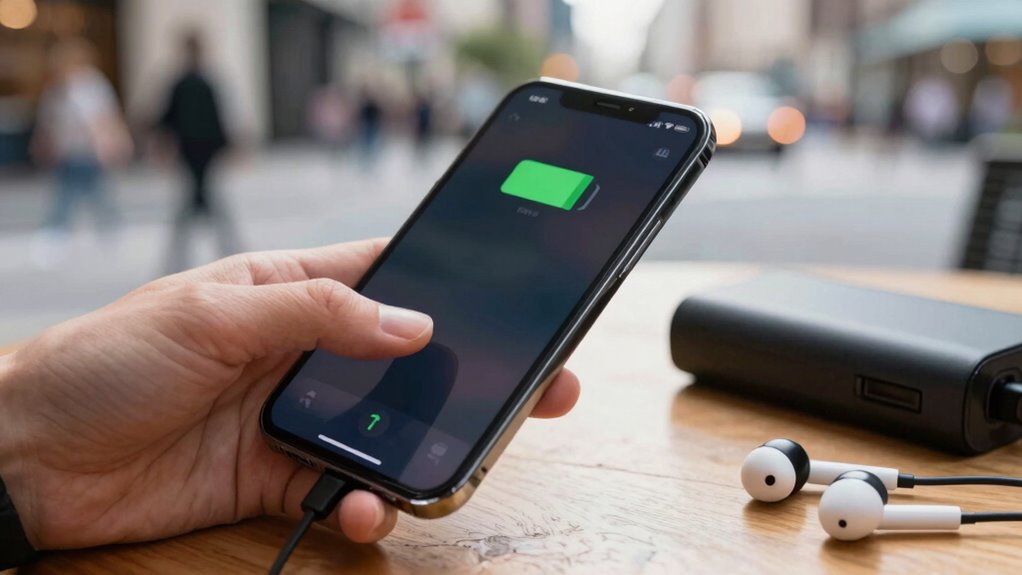
Are you constantly running out of battery during your busiest days? If so, you might be wondering whether it’s time for a battery expansion or if simply tweaking your charging habits could solve the issue. The first thing to consider is your current battery lifespan. Batteries naturally degrade over time, losing capacity with each charge cycle. If your device’s battery isn’t holding a charge like it used to, it’s a clear sign that an upgrade might be necessary. However, if your battery is relatively new but drains quickly, your charging habits could be be the culprit.
Your charging habits play a significant role in maintaining battery health. For example, frequently charging your device to 100% or letting it drain to 0% can accelerate battery wear. Instead, aim to keep your battery between 20% and 80%, which helps prolong its lifespan. Avoid overnight charging, as leaving your device plugged in for extended periods can cause unnecessary stress on the battery. Also, using incompatible or low-quality chargers may harm your battery over time, leading to faster capacity loss. Developing smarter charging habits—like unplugging once you hit about 80%—can extend your battery’s longevity, potentially delaying the need for expansion.
Smart charging habits, like unplugging at 80%, can extend battery life and delay the need for expansion.
If, after optimizing your charging habits, your battery still doesn’t last through your busy day, expanding your battery capacity might be the next step. Devices offer options such as larger batteries or external power banks that can provide additional juice. An increase in battery capacity can give you more hours of use, especially if you’re frequently on the go or using power-intensive apps. Additionally, understanding battery technology can help you choose the best options for your needs. Being aware of power management features in your device can also help optimize energy use and extend battery life. Moreover, choosing the right charger settings can further enhance your battery’s overall health and longevity. Some devices also incorporate advanced battery features that help monitor and protect battery health, providing more control over usage. Incorporating battery diagnostics can help you track and understand your battery’s health more precisely. However, it’s worth noting that some devices don’t support battery expansion easily or at all, so you’ll want to check compatibility before making a purchase.
Ultimately, deciding whether you need a battery expansion depends on a combination of your device’s age, battery health, and your daily usage patterns. If your battery life has significantly declined and your charging habits are already optimized, expanding your battery could be a practical solution. On the other hand, if your device is still relatively new and your battery health is good, simply adjusting how and when you charge may be enough to keep you powered through even your busiest days. By assessing these factors carefully, you can make an informed decision that balances performance, longevity, and cost.
Products Worth Considering

Philips Hue Smart LED Candle Bulbs, B39, E12, 2-Pack

Blueair Blue Pure 511i Max Smart Air Purifier

Blueair Signature SP1i Smart Air Purifier
As an affiliate, we earn on qualifying purchases.
Frequently Asked Questions
Can Battery Expansion Improve Overall Device Performance?
Yes, battery expansion can improve your device’s overall performance. Increasing battery capacity allows you to use your device longer without recharging, which is especially helpful during heavy usage. It also enhances power efficiency by providing a more stable power source, reducing strain on the internal components. With better battery capacity, you experience fewer interruptions, smoother operation, and extended device lifespan, ensuring you get the most out of your device daily.
Is Battery Expansion Suitable for All Device Types?
Battery expansion isn’t suitable for all device types, as battery compatibility varies widely. Some devices allow easy expansion, while others face expansion limitations due to design constraints or proprietary systems. Before proceeding, check your device’s specifications to guarantee compatibility. If your device supports expansion and isn’t limited by design, then battery expansion can enhance your device’s performance. Otherwise, attempting expansion might cause damage or void warranties.
How Long Does a Battery Expansion Typically Last?
A battery expansion typically lasts around 2 to 3 years, depending on your device usage. The expansion longevity relies on factors like battery quality, charging habits, and device temperature. You might notice reduced battery lifespan over time, which signals it’s nearing the end of its expansion’s effectiveness. To get the most out of your expansion, maintain good charging practices and avoid extreme temperatures, ensuring your device’s battery lifespan remains ideal.
Are There Risks Associated With Battery Expansion?
Yes, there are risks associated with battery expansion, especially regarding battery safety and expansion risks. When batteries expand, they can become unstable, increasing the chance of leaks, overheating, or even fires. You should monitor for signs of swelling and handle expanded batteries carefully. Avoid puncturing or exposing them to high temperatures, and always dispose of them properly to minimize safety hazards. Awareness and caution help prevent accidents related to expansion risks.
Does Battery Expansion Affect Warranty Coverage?
Battery expansion can affect warranty coverage, so you should check warranty implications before proceeding. Some manufacturers may see modifications as voiding parts of your coverage, especially if issues arise related to the expansion. Coverage limitations could result in you paying out-of-pocket for repairs. To avoid surprises, review your warranty terms or contact the manufacturer directly to clarify whether expanding your battery impacts your warranty and coverage.
Conclusion
If your device struggles to keep up with your daily demands, it’s time to think about battery expansion—don’t let a dying battery turn your tech into a useless brick! By evaluating your usage patterns and understanding your battery’s capacity, you can make a smart choice that keeps your device running like a roaring engine. Remember, a little upgrade now can save you from the nightmare of being stranded in the digital dark ages later!