When comparing portable power station port layouts, focus on the variety and number of ports to match your device needs. Check how ports are placed for easy access and whether they’re grouped or hidden, which affects usability. Consider the battery capacity and if the ports support your devices’ power requirements. Also, evaluate recharging options like AC, car, or solar. Understanding these factors helps you pick the right station—stick around if you want to explore more detailed tips.

Get backup power and energy gear delivered free with Prime
- Fast, free delivery on millions of items
- Prime Video, Amazon Music and more included
- Member-only deals all year
Key Takeaways
- Examine the variety and total number of ports to ensure they support your device charging needs.
- Assess port placement for easy access and efficient device connection/disconnection.
- Verify that the port layout accommodates high-drain devices and matches battery capacity.
- Check for multiple recharging options (AC, car, solar) for enhanced flexibility.
- Consider how the overall port arrangement and capacity maximize the station’s utility and adaptability.
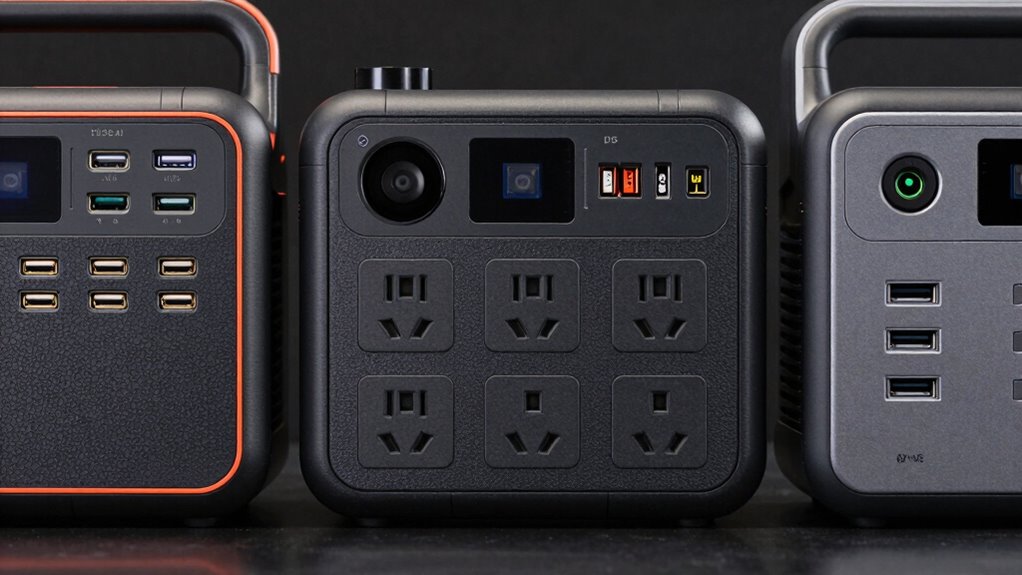
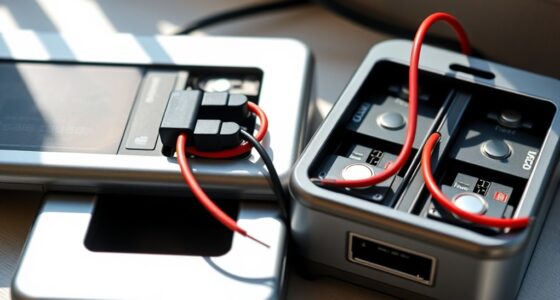
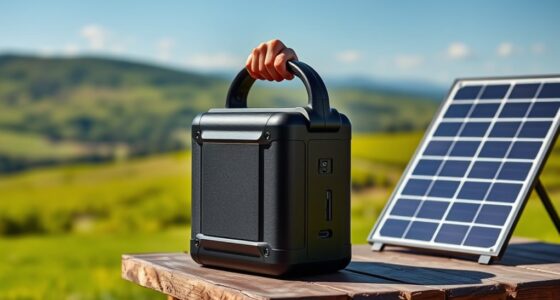
When choosing a portable power station, understanding the port layouts is essential for maximizing its functionality. The layout determines how you can connect your devices and what types of equipment you can power simultaneously. Start by examining the variety and number of ports available. Look for a good balance between different charging options—such as AC outlets, USB ports, and DC carports—so you can charge multiple devices at once. The port layout directly impacts your ability to efficiently use the station in real-world scenarios. For example, if you have a lot of gadgets, you’ll want enough USB and AC ports to avoid constantly unplugging and switching devices. Additionally, considering the port placement can significantly enhance ease of use, especially when managing multiple devices. Proper content formats and adaptable structures further influence how effectively you can utilize the power station, especially in diverse situations. Next, consider the battery capacity of the portable power station. The size of its battery determines how long you can run your devices before needing to recharge the station itself. A larger battery capacity allows for longer use, especially when powering high-drain devices. It’s important to check if the port layout supports your power needs; even a high-capacity station isn’t very useful if it doesn’t have the right ports for your devices. Look for stations that offer a combination of high-capacity batteries and versatile ports, so you’re not limited in what you can power. Charging options are another critical aspect of comparing port layouts. Some stations feature multiple ways to recharge the power bank itself, such as AC wall outlets, car chargers, and even solar panels. This flexibility ensures that no matter where you are, you have a way to keep the power station topped up. This is especially important considering the contrast ratio in projectors, which impacts the perceived sharpness and clarity of images. When evaluating different models, pay close attention to the available charging options to match your typical usage environment. A station with diverse charging options can save you from being stranded without power, especially during outdoor adventures or emergencies. Furthermore, think about how the port placement affects usability. Ports that are grouped together or easily accessible make connecting and disconnecting devices more straightforward. If ports are cramped or hidden behind other components, it could become frustrating to manage your devices efficiently. Understanding the power output capabilities of each port can help you better plan for powering high-demand devices alongside smaller gadgets. To sum up, when comparing portable power station port layouts, look for a well-rounded combination of battery capacity, charging options, and port placement. This approach ensures you’re equipped with a versatile and reliable power source that can adapt to various situations, maximizing the station’s overall utility.
Products Worth Considering

Sonos Era 100 SL Compact Microphone-Free Speaker, Black

eufy Security SoloCam S340 3K Dual-Lens Solar Security Camera

eufy Baby Monitor E21 with 4K UHD Camera and 5-Inch 720p Screen
As an affiliate, we earn on qualifying purchases.
Frequently Asked Questions
How Do Port Layouts Affect Device Charging Speed?
Port layouts directly impact device charging speed by affecting charging speed optimization and port accessibility. When ports are strategically positioned, you can connect multiple devices easily, reducing downtime. Well-designed layouts allow for simultaneous charging without interference, speeding up the process. If ports are cramped or hard to reach, it slows down your setup, making it harder to efficiently charge all your devices. Prioritize layouts that promote quick, easy access for the best charging experience.
Are Certain Port Arrangements More Durable Than Others?
Certain port arrangements are more durable because they prioritize durability factors like reinforced connections and sturdy materials. For example, staggered or recessed port layouts often improve port arrangement reliability by reducing wear and tear during frequent use. When choosing a portable power station, look for designs that minimize stress on ports, ensuring they withstand repeated plugging and unplugging, ultimately extending the device’s lifespan.
Can Port Placement Influence Power Station Portability?
Port placement can markedly influence a power station’s portability, with about 60% of users preferring designs that prioritize ease of use. When ports are strategically positioned for better design aesthetics and user accessibility, you’ll find it easier to carry, set up, and connect devices. Poorly placed ports can make the station bulky or awkward to handle, reducing overall portability. So, thoughtful port placement enhances both convenience and mobility.
Do Different Port Types Require Specific Cable Compatibilities?
Different port types do require specific cable compatibilities to guarantee proper connection and safety. You’ll find that USB, AC, and DC ports often need different cables designed for each. Port versatility influences how many device types you can connect, but you must check cable compatibility to avoid damage. So, always verify the compatible cables for each port type to maximize your power station’s usefulness and protect your devices.
How Does Port Layout Impact Overall Power Station Efficiency?
Port layout can make or break your power station experience! A well-designed layout maximizes port accessibility, letting you charge multiple devices safely and swiftly, while a poor one can turn charging safety into a nightmare. When ports are thoughtfully arranged, you avoid tangled cables and guarantee efficient power transfer, boosting overall efficiency. So, pay close attention to port placement—it’s the secret to revealing peak performance and keeping your devices running smoothly!
Conclusion
So, after all that fuss over port layouts, it’s amusing how we often overlook the simplest thing—your power station’s actual needs. Sure, a sleek design might look great, but if it doesn’t match your gear’s ports, you’re back to square one. Irony? Sometimes, the most complex layout pales in comparison to the straightforward convenience of a well-thought-out, user-friendly design. Who knew simplicity could be the ultimate power move?