Handling home office blackouts is easier than you think with some simple planning. Invest in backup power solutions like a UPS or portable generator to keep essential devices running. Stockpile supplies such as water, snacks, and flashlights to stay comfortable, and create communication plans for quick updates. Adjust your schedule to focus on offline tasks during outages, then smoothly resume digital work afterward. Keep these tips in mind, and you’ll see just how manageable power disruptions can be.

Get backup power and energy gear delivered free with Prime
- Fast, free delivery on millions of items
- Prime Video, Amazon Music and more included
- Member-only deals all year
Key Takeaways
- Backup power solutions like UPS and power banks keep essential devices running during outages.
- Emergency supplies such as flashlights, water, and non-perishable snacks ensure comfort and safety.
- Planning and offline work strategies help maintain productivity when power is disrupted.
- Staying informed about outage alerts allows better scheduling and response planning.
- Preparing in advance reduces stress and minimizes downtime during unexpected blackouts.

When working from home, blackouts can unexpectedly disrupt your productivity and daily routine. The sudden loss of power can feel stressful, but with a bit of preparation, handling these outages becomes much easier. The key lies in power outage preparedness. You don’t have to be caught off guard every time the lights go out. Instead, you can implement simple strategies to keep your work going smoothly, even during an unexpected blackout.
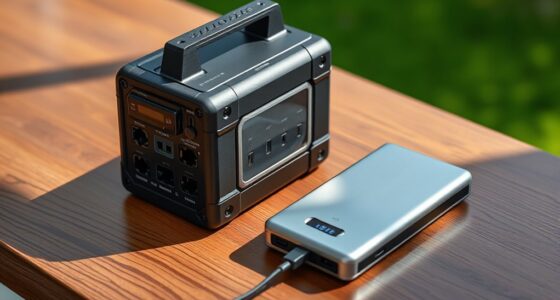
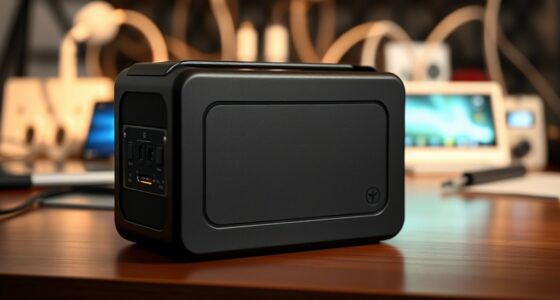
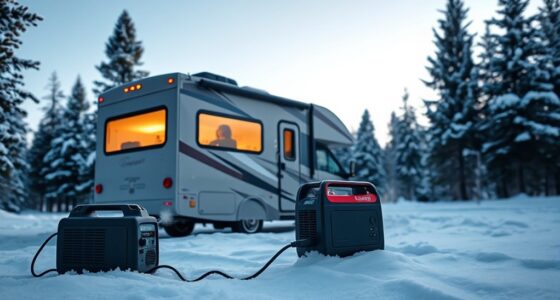
First, consider investing in backup power solutions. Portable generators, uninterruptible power supplies (UPS), or battery packs can provide immediate power to essential devices like your computer, modem, and router. These backup options are especially valuable if you depend heavily on the internet and digital tools for your work. A UPS, for example, can keep your computer running long enough for you to save your work and shut down properly, preventing data loss and hardware damage. Battery-powered devices, like power banks, can also keep your phone charged, allowing you to stay connected and informed during outages.
Invest in backup power like UPS, generators, or power banks to keep essential devices running during outages.
It’s also smart to have a plan in place for power outage preparedness. Keep a flashlight nearby, along with extra batteries, so you’re not left fumbling in the dark. Stockpile some non-perishable snacks and water, especially if outages tend to last longer in your area. Having these essentials ready means you can focus on your work without unnecessary worry about basic needs. Additionally, keep a list of important contacts, including your internet provider and local utility company, so you can quickly report outages or get updates. Being aware of power outage preparedness can help you respond more effectively when disruptions occur. Incorporating emergency communication strategies into your plan can further reduce stress during extended outages. Understanding power reliability can also help you better schedule your work around potential interruptions, reducing the impact of outages on your productivity. Being familiar with indoor air quality solutions can also help maintain a comfortable environment even when windows or ventilation systems are affected by power issues.
Another effective approach is to schedule work around potential outages. Check if your utility company provides outage alerts or notifications, and plan to do critical tasks when the power is most reliable. During outages, shift to offline work, such as reading, brainstorming, or planning, which doesn’t require electricity. Once power is restored, you can resume digital tasks seamlessly.
While blackouts can be disruptive, they don’t have to derail your productivity. By proactively preparing with backup power solutions and maintaining a clear plan, you can minimize downtime and stress. Power outage preparedness isn’t just about having the right equipment; it’s about knowing how to respond quickly and efficiently. With these simple steps, handling home office blackouts becomes less intimidating, so you can stay focused and productive no matter what.
uninterruptible power supply for home office
As an affiliate, we earn on qualifying purchases.
As an affiliate, we earn on qualifying purchases.
Frequently Asked Questions
How Can I Prevent Home Office Blackouts in the First Place?
To prevent remote work disruptions during power outages, invest in a reliable uninterruptible power supply (UPS) and backup generator. Keep important files saved on the cloud or external drives, and set up automatic backups. Regularly maintain electrical systems and stay informed about local outage forecasts. By preparing ahead, you guarantee your home office stays productive and minimizes downtime during unexpected power outages.
What Are the Best Backup Power Options for Home Offices?
Ever wondered what the best backup power options are for your home office? A portable generator is reliable, but you need to maintain it regularly to guarantee it works when needed. Alternatively, consider a UPS with a good battery lifespan for short outages. Regular generator maintenance and choosing a system with durable batteries can keep your workspace powered without interruptions. Which option best fits your needs and budget?
How Long Does a Typical Home Office Blackout Last?
A typical home office blackout lasts anywhere from a few minutes to several hours, depending on the cause and your backup power setup. During a power outage, your backup system, like a generator or UPS, can keep essential devices running. Planning for blackout durations helps you prepare better, ensuring you have enough power to finish important tasks or stay connected until power is restored.
Can Solar Power Help Avoid Home Office Blackouts?
Think of solar power as your modern-day Excalibur against blackouts. Installing solar batteries helps you store energy, so you stay powered even when the grid fails. This boosts your energy independence, keeping your home office running smoothly during outages. With solar power, you can avoid interruptions, work seamlessly, and feel more in control—no more relying on luck or the old dial-up days. It’s a smart, proactive solution for blackout-proofing your workspace.
What Safety Precautions Should I Take During a Blackout?
During a blackout, you should make certain emergency lighting is accessible to safely navigate your home. Keep flashlights and batteries nearby, and avoid using candles to prevent fire hazards. Check that fire safety equipment like smoke detectors is working properly. Stay away from electrical appliances and outlets to prevent shocks. These precautions help you stay safe and prepared, minimizing risks and ensuring you can handle the blackout smoothly.
portable generator for backup power
As an affiliate, we earn on qualifying purchases.
As an affiliate, we earn on qualifying purchases.
Conclusion
Home office blackouts might feel like hitting a brick wall, but remember, they’re often just temporary shadows. With a few quick tricks up your sleeve, you’ll power through, turning darkness into opportunity. Think of it as steering a storm—you may get wet, but you’ll emerge stronger and more prepared. So, stay calm, adapt, and keep your work flowing. After all, even in the blackest night, your resilience is the brightest light.
power bank for laptops and phones
As an affiliate, we earn on qualifying purchases.
As an affiliate, we earn on qualifying purchases.
emergency flashlight with batteries
As an affiliate, we earn on qualifying purchases.
As an affiliate, we earn on qualifying purchases.
Halloween Picks
halloween
As an affiliate, we earn on qualifying purchases.