TL;DR

Get backup power and energy gear delivered free with Prime
- Fast, free delivery on millions of items
- Prime Video, Amazon Music and more included
- Member-only deals all year
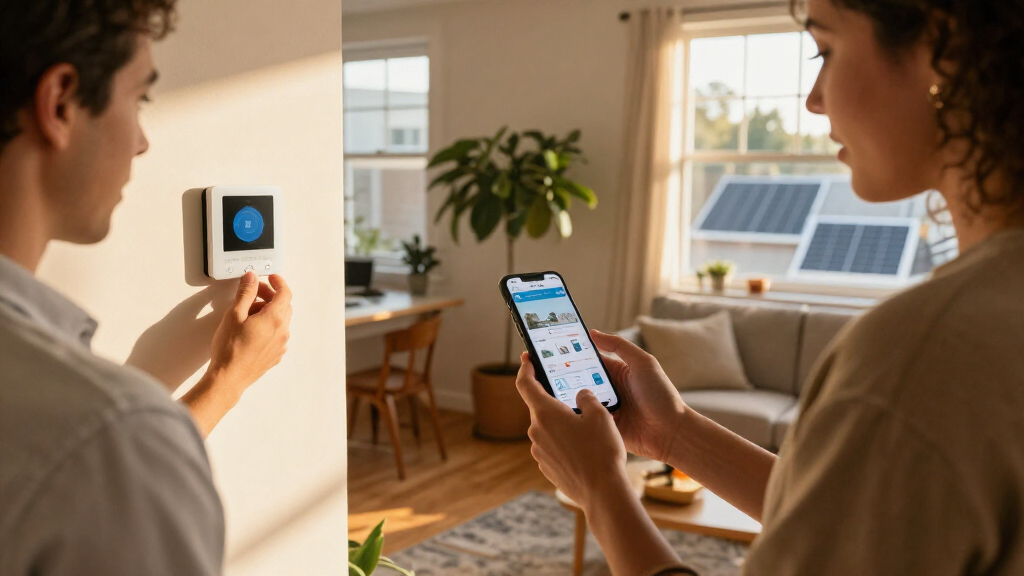
Home Depot’s Hubspace app brings controls for compatible smart-home products from multiple brands into one place. The app was featured in a Charleston condo installation, where Home Depot used connected lighting to create an interactive display; compatibility, internet access and device availability remain relevant limits.
Home Depot’s Hubspace app was featured in a Charleston, South Carolina, condo installation, demonstrating how people can control compatible smart-home products across several categories from one app. The showcase paired the system with an interactive lighting display, while the app’s practical reach depends on owning compatible devices and having a smartphone and internet access.
House Beautiful reported that Home Depot used Hubspace as the connective technology for its contribution to this year’s Whole Home, a luxury condo project in downtown Charleston. Designers shaped the interiors, while Home Depot presented connected products and demonstrations intended to show how app-based controls could work in a home.
The report describes Hubspace as a central app for compatible products sold at Home Depot, spanning categories such as lighting, fans, doors and locks, thermostats, indoor outlets and lawn sprinklers. It also says the app has a Vacation Mode that simulates occupancy while residents are away. The source does not provide a full product list or explain the mode’s specific settings.
For the installation, Home Depot created “The Color Canopy,” a lighting experience that used dimming and illumination to evoke the Charleston sky. The display was part of a Home Depot-hosted pop-up at the Whole Home, which also included product demonstrations. The project illustrated a design use for connected lighting, but the report does not present it as a new Hubspace feature.
One App, Several Home Categories
Hubspace’s appeal, as described in the report, is bringing controls for multiple compatible products together rather than requiring a separate app for each device. For households considering smart-home equipment, that could make everyday tasks—such as adjusting a thermostat or switching lights—easier to manage from a phone. The app’s Vacation Mode is another example of a function aimed at managing the home while its occupants are away.
The Charleston display also speaks to how smart-home technology can be presented as part of interior design, not just as a set of utility controls. Still, the source documents a demonstration, not independent testing or evidence that the system works with every device in a home. Buyers would need to check compatibility and product requirements before treating it as a whole-home solution.
Home Depot Hubspace compatible smart light bulbs dimmable
As an affiliate, we earn on qualifying purchases.
As an affiliate, we earn on qualifying purchases.
The Charleston Whole Home Showcase
House Beautiful framed the installation as a response to a design brief: transform a downtown Charleston luxury condo into a home with a distinct sense of style while connecting its systems. Designers handled the interiors, and Home Depot supplied the technology element through Hubspace and app-compatible products.
App-controlled home devices already exist, the report notes; the feature it highlights is the effort to manage products from different categories and brands through one hub. The account describes Hubspace as working with products bought at Home Depot, but does not specify whether every product in the retailer’s range is compatible. It also says users need a smartphone, internet access and compatible devices to use the setup.
Hubspace smart home compatible thermostat
As an affiliate, we earn on qualifying purchases.
As an affiliate, we earn on qualifying purchases.
Compatibility And Setup Details
The report does not provide a complete compatibility list, explain which features require particular Hubspace devices, or say whether all products sold by Home Depot can be controlled in the app. It also gives no pricing, setup instructions, privacy or security details, or information about service outages. Those details matter to people deciding whether Hubspace can replace multiple existing apps or work with devices they already own.
The Whole Home installation shows a curated demonstration, but the source does not report independent performance testing or user feedback. It is also unclear whether every function, including Vacation Mode, is available across all compatible devices or depends on specific products and settings.
Hubspace smart plugs indoor outlet
As an affiliate, we earn on qualifying purchases.
As an affiliate, we earn on qualifying purchases.
Check Devices Before Connecting
Readers interested in using Hubspace should check Home Depot’s current product and compatibility information for the specific devices they plan to connect, along with any internet or account requirements. The House Beautiful report does not announce a new release date, expansion plan or follow-up milestone for the app.
The next practical step for prospective users is to compare their existing equipment with the supported products and confirm which controls are available through Hubspace. Further details on compatibility, setup, pricing and data practices would be needed to assess how well the app serves as a central control system beyond the Charleston showcase.
Hubspace compatible smart door lock
As an affiliate, we earn on qualifying purchases.
As an affiliate, we earn on qualifying purchases.
Key Questions
What is Home Depot’s Hubspace app?
Hubspace is an app described by House Beautiful as a way to control compatible smart-home products across multiple categories, including lighting, fans and thermostats.
What did Home Depot demonstrate in Charleston?
At a downtown Charleston condo featured in this year’s Whole Home, Home Depot presented Hubspace-connected products and created “The Color Canopy,” an interactive lighting display inspired by the Charleston sky.
Does Hubspace work with every home device?
The report does not say that it works with every device. It describes support for compatible products and does not provide a complete list, so users should check compatibility for each product.
What does Hubspace Vacation Mode do?
House Beautiful says Vacation Mode simulates occupancy while residents are away. The report does not explain its precise settings or which products are needed to use it.
What do people need to use Hubspace?
The report says users need a smartphone, internet access and compatible devices. It does not give further setup, pricing or account details.
Source: rss
Halloween Picks
halloween
As an affiliate, we earn on qualifying purchases.